In 2006, Paul Magleby was recognized with the NAHB (National Association of Home Builders) National Custom Home Builder of the Year award.
Starting with a degree in Construction Management from BYU, in 1974 he created Paul M Magleby Construction. With his team, he was eventually creating 6-10 custom homes a year, each one incorporating all the latest building science philosophies.
Paul didn’t just construct houses, he built relationships. He recognized that his employees were an extension of himself.
As a mentor over the years, Paul has fostered friendships, secured professional opportunities, and continues to invite frank and encouraging discussions with builders and vendors at all levels. He bestowes his knowledge to the BYU Construction Management students by speaking to them annually, and
Paul has been active in the local Utah Valley Home Builders Association (UVHBA) for over 40 years. He was named Builder of the Year in 2000 and homes entered into the Utah Valley Parade of Homes have won many first-place honors.
He served on the Board of Directors for the National Association of Home Builders. He has been active in the community with the Boy Scouts of America and the Habitat for Humanity over the years.
His company and his character lend themselves to quality, professionalism, honesty and integrity – virtues that are earned over decades of service.
We’ve all heard the commercial that 15 minutes could save us 15% or more on car insurance. Sure, it might. But who wants to spend the time shopping around? And not only do we need car insurance but we also need homeowners or renters insurance, boat insurance, RV insurance, motorcycle insurance, and the list goes on. That’s a lot of calls we’d need to make to get quotes for all of those things. So why not let someone do the leg work for you?
Employee Home & Auto Discount Program
Magleby has partnered with Bryce Arnett, Personal Lines Manager, from Arnett Insurance Services, LLC. to offer you an Employee Home & Auto Discount Program. This Program is available to ALL employees, your friends, and your family.
Bryce works with AAA rated carriers like MetLife, Progressive, Safeco, Hartford, Travelers, and Encompass to offer special reduced group rates. Getting a quote from Bryce is easy!
Bryce will ask you about the type of coverage and limits you currently have, what type of coverage and limits you are looking for, and he’ll identify areas where you may be under- or over-insured. He’ll recommend policy changes to best suit your needs. And the best part is he’s NOT salesy or pushy.
Once he understands your needs, he’ll go to work gathering quotes from the AAA rated carriers above. He’ll come back to you with the lowest quotes and work with you to determine next steps.
To Switch or Not
If Bryce is able to save you money, he’ll help you make the switch. Since these types of insurance are outside your employment at Magleby, you’ll pay the premiums directly to the new carrier just like you do now (no payroll deductions, etc.)
If he isn’t able to save you money because you already have a smokin’ deal…well…you at least now know you have a smokin’ deal and can laugh all the way to the bank! It was worth the effort for him to prove you are on the right track.
Best of all, having him quote you is completely free. Switch if it makes sense. Don’t switch if it doesn’t. Either way, there is no cost to you for the quote.
Call Today
Why wait? The call is free. He does the leg work. And I (Kris Talynn) know for sure that he’s saved people, including me, hundreds of dollars per year on car/home/boat/rv/motorcycle/renters insurance. I even have him quote me at least every two years to be sure I always have the best deal.
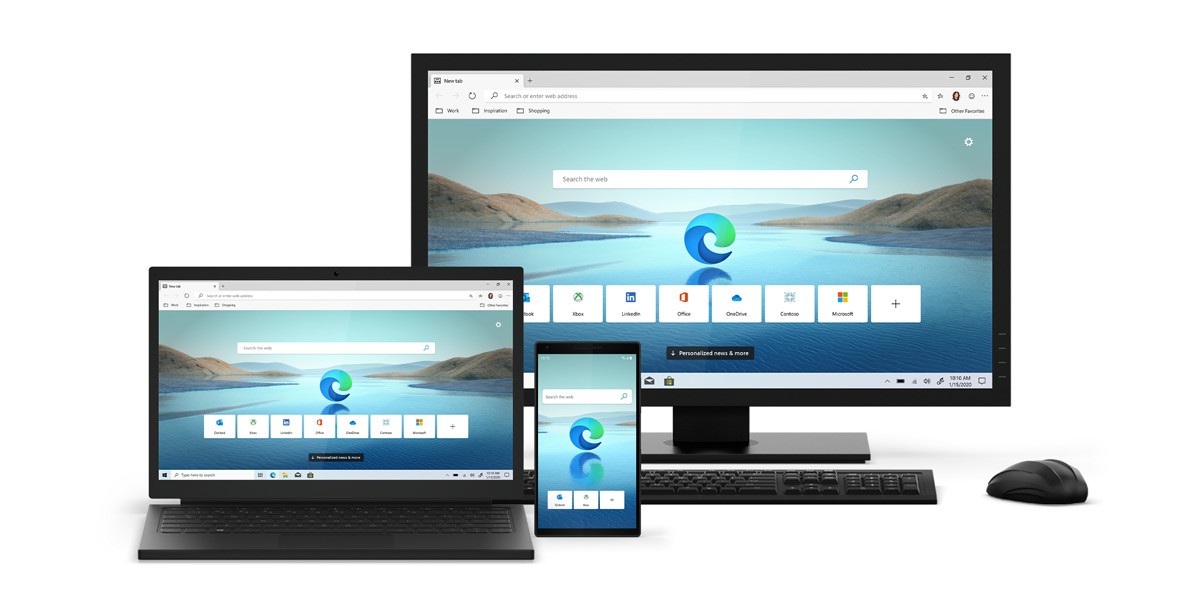
Microsoft Edge is a web browser just like Google’s Chrome or Mozilla’s Firefox. Up until recently, Edge has been a laggard in its user interface and its overall abilities. At the beginning of this year (2020), Microsoft released its updated Chromium based Microsoft Edge, and it is a whole lot better!
What makes Microsoft Edge worth looking at?
The new Microsoft Edge looks and feels like Google Chrome because it is based on the same framework, so if you decide to switch it will be nearly painless. Here are a few key features we love:
Better Performance – In testing Edge requires less memory (RAM) and runs quicker than Chrome. If you are on a company supplied Microsoft Surface, you will find better performance, less computer freeze ups, and the device won’t get as hot after a hard day’s work.
Tracking Prevention – Edge removes data tracking that other browsers use to track all your searches and clicks.
Built-in Security – Edge stops potentially unwanted program pop ups and protects you against phishing or malware websites.
I want “non-IT team” biased information…
Check out this YouTube video to see an independent 3rd party review.
I want in, so how do I download?
You can always work with our in house IT team and they can help you make the switch. Email them at [email protected].
If you want to give it a go yourself, here is where you can get started.
Did you know that Magleby Construction gives you a VASA membership or offers to pay you (and your spouse) up to $20/month* to workout? It’s true!
Ways to Workout
VASA
We have partnered with VASA to offer you a Corporate VIP Membership. The VIP membership includes:
Access to all locations
Weights & Cardio
Basketball
Racquetball
Swimming Pool
Group Fitness
Tanning
KidCare is available on request with the employee membership.
The VIP membership is free for employees and spouses enrolled in our medical plan. If you are not on our medical plan, Magleby splits the cost with you. We payroll deduct $10/month each for you and your spouse.
We want to encourage you to workout! Therefore, in order for you and your spouse to receive your free/discounted VASA membership, you both must visit the gym a minimum of 10 times per month. You don’t need to submit anything to us to maintain your membership. VASA provides us with a visit frequency report each month. If you repeatedly fall below 10 visits per month we will cancel your membership for you. You can re-enroll after 90-days.
Due to COVID-19, gyms have been closed. But the good news is that all Utah locations have reopened. Check out more information about Vasa Reopening.
Other Gyms
If you and/or your spouse don’t have a VASA near you or you just want to go to a different fitness facility, Magleby will reimburse you up to $20/month*. Simply complete the Reimbursement Request Form and email it with your payment receipt to Nicole Evans (email address on the form) by the last Friday of each month. You’ll get reimbursed on the first check of the next month.
If you are on Magleby’s medical plan, you will be reimbursed at $20/month. If you are not on Magleby’s medical plan, we will split the cost and reimburse you up to $10/month.
In order to receive reimbursement, you will need to workout a minimum of 10 times per month and note that activity on your reimbursement request form.
Online Workout Program
Maybe going to the gym isn’t your vibe. Good news is that you can workout in the comfort of your own home and still be eligible for the reimbursement. There are several online workout programs you can subscribe to. The same rules and reimbursement procedures as the “Other Gym” apply.
Magleby does not endorse or support any online programs. Please consult your physician before beginning any workout program (nice disclaimer, huh? lol)
* Due to gym availability and increased rates, Sun Valley employees (spouses) receive up to $30/month
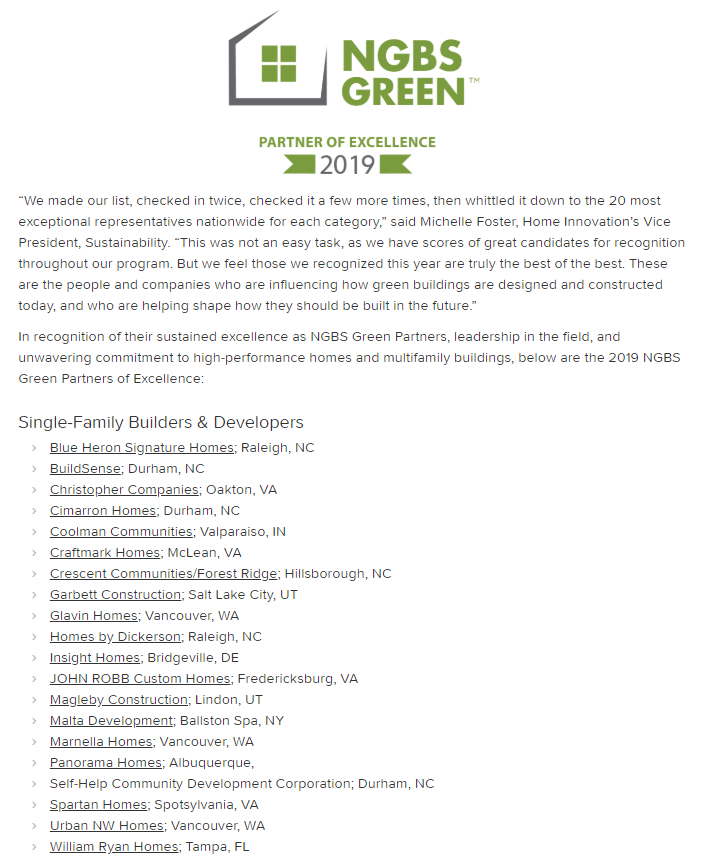
For years Magleby Construction has been committed to sustainable building practices. We invest in training and educating our team on the latest Green Build solutions and encourage our clients to invest in processes, assemblies and systems that will contribute to long-standing, high-performance homes. We are honored that our work was again recently recognized as we were named one of only 60 “National Green Building Standard’s Partners of Excellence.”
NGBS Green Partner of Excellence
The National Green Building Standard’s Partner of Excellence recognizes builders and verifiers for their contribution and commitment to advancing green building in their communities and commitment to voluntary, market-driven, third-party certification of high-performance homes.
The Announcement
We receive the following from Michelle Foster, Vice President Sustainability, Home Innovation Research Labs:
Dear NGBS Green Partner:
Congratulations! Your company has been selected as a 2019 NGBS Green Partner of Excellence! This is an annual recognition program of Home Innovation Research Labs that highlights an elite group of NGBS Green Partners who demonstrate sustained excellence and leadership in the green building arena, and unwavering commitment to high-performance, third-party certified homes and buildings. Your expertise, dedication, and willingness to advocate for the National Green Building Standard (NGBS) has made NGBS Green a stronger, more successful program.
Each year, as we look back to determine which of our Partners made the most impact in our NGBS Green program and the industry at large, it’s rewarding to see how much has been accomplished. This year, on the heels of our 10th year of NGBS Green certification and recent release of the 2020 NGBS, we decided to sharpen our pencils and recognize our most exceptional NGBS Green Partners; the best of the best. We made our list, checked it twice … and then check and revised it a few more times … and finally came up with a list of 20 Single-Family and 20 Multifamily builder/developer partners worthy of special praise, as well as 20 NGBS Green Verifiers. This was no easy task. There are A LOT of extraordinary individuals and companies that make up our NGBS Green universe. The fact that your company “made the cut” is a true testament to the contribution you’ve made.
Overall, 2019 was pretty terrific for NGBS Green. Consider these highlights:
Registered projects reached (and remain at) an all-time high, even with the fast and furious pace of certification activity noted above! Over 5,300 single-family homes and over 144,000 apartments are currently registered to earn NGBS Green certification.
Development of the 2020 NGBS was completed and this revision is epic – with an expanded scope, new certification path for single-family homes and the commercial spaces of mixed-use buildings, and a completely revamped chapter for renovation.
More affordable homes were certified than ever as NGBS Green is increasingly recognized or incentivized in low-income housing tax credit programs nationwide.
Thanks to the 2015 NGBS Tropical Path requirements, NGBS Green has now certified projects in the U.S. Virgin Islands and we have lots of projects in Puerto Rico seeking certification, as well.
And, NGBS Green compliance became an option for projects seeking to demonstrate eligibility for HUD financing – so we can now look forward to NGBS Green Partners (like you!) helping to ensure homes rebuilt in areas affected by recent natural disasters are greener and more sustainable.
Looking back is fun. But looking forward is even more exciting. With the launch of the 2020 NGBS comes a host of new opportunities to promote stringent yet practical green design and construction. If you haven’t had a chance yet, be sure to listen to the webinar we recorded that details all the changes in the new version; let us know if you have any questions.
Your certificate of recognition is attached. We regret being unable to mail you a hard copy – as our offices remain closed and the majority of our staff continues to work from home due to COVID-19 for the foreseeable future, we did not want to delay delivering your award any longer. Early next week, you’ll receive a follow-up email with instructions on accessing logos and other marketing materials, but the news release with the full list of winners is now live* on our website and we encourage you to link to it and share the good news with your audience.
Congratulations again on your 2019 NGBS Green Partner of Excellence recognition! It is just a small token to thank you for your sustained and meaningful support of our program. I look forward to continuing to work with you in the future, and hope NGBS Green can help you build upon your success in the market while we all continue to build a more sustainable future.
We are beyond excited that our Alta Remodel project has been submitted by Drew McGukin, designer, for the 2020 HGTV Designer of the Year awards! As of today, 6/5, the submission made the cut and is advancing to the next round.
The HGTV Designer of the Year award celebrates interior designers, architects and landscape architects who are creating beautiful spaces. There are six categories:
Waterside Retreats
Countryside Escapes (The category Alta Remodel was submitted to)
Final nominees will be notified by 8/18. If this project makes it as a nominee, it won’t be announced publicly until 8/25. After 8/25, we can share, post and tweet about the nomination so stay tuned!
There will be category winners (People’s Choice and HGTV Editor’s Pick) and one Overall Winner will be selected based on:
25% overall quality of the design work
25% innovation and creativity of the project
25% relevance to category
25% utilization of available square footage and materials
The winning designer will be filmed by the HGTV editorial team to be featured on HGTV.com. The overall winner will also get a commemorative certificate, editorial feature on HGTV.com, HGTV gift bag and be the HGTV Designer of the Month. Best of luck, Drew!
Planning a summer vacation can be stressful. Add COVID-19 to the mix and you’ve got an entirely new beast. Thankfully there are a few things you can do to help make your summer travel plans go off without a hitch.
As part of One America’s life insurance offerings for Magleby employees, all full-time benefits eligible employees receive Travel Assistance 100% paid by the company. The Travel Assistance Program provides coverage in case of emergencies when you are traveling more than 100 miles from home for personal AND business.
Coverage is not only for you, the employee, but for your spouse, domestic partner, and children even when they are traveling without you!
Coverage includes:
Medical assistance services
Replacement of medication or eyeglasses
Traveling companion assistance
Emergency evacuation
Repatriation or cremation of remains
Trip interuption
Emergency medical payment
To learn more, email [email protected]. Let them know you are with Magleby Professional Services.
There are different ways to experience a city than the typical “tourist traps.” Explore small town America off the beaten path. National and state parks and the typical tourist attractions will be crowded. Check out this list of charming small towns from WhereTraveler.com. Or the Best Small Towns to Visit in the USA.
Go Big
It may feel safer to head to an Airbnb because less folks stay there. However, the larger hotel chains have the resources and cleaning protocols to create a level of comfort and security the small hotels and Airbnb may not.
Cancel Timely
As you are booking, check with the airlines, hotels, and activities you’re planning to be sure you understand both their “normal” cancellation policy as well as the COVID-19 cancellation policy. Do they allow refunds? What’s the time deadline for cancellation? Will they issue travel credit? All good things to know before you plan to go. It may be worth getting a credit voucher depending on the deal.
Travel Coverage
Some credit cards offer travel coverage in case something happens and you can’t go. However, you may want to look into purchasing additional travel coverage. Most don’t cover COVID-19 coverage so be sure to read the fine print.
Non-refundable?
Paying a little more for a refundable fare or booking may be worth the extra dollars. Factor that into your budget and assess the likelihood of having to cancel.
If someone threw a 3,000 lb ball at you, would you try to catch it? What about if you were walking down the street and a 4,000 lb piano fell out an apartment window, would you walk under it? I’m guessing NO. Of course you wouldn’t. Why? You could get hurt. Duh. Right? Well every time you get behind the wheel of your vehicle and drive distracted, you put yourself in an equally unsafe situation. You either become the ball/piano (i.e. vehicle) hurling toward someone else or you become the person that the ball/piano (i.e. vehicle someone else is driving) is being hurled at.
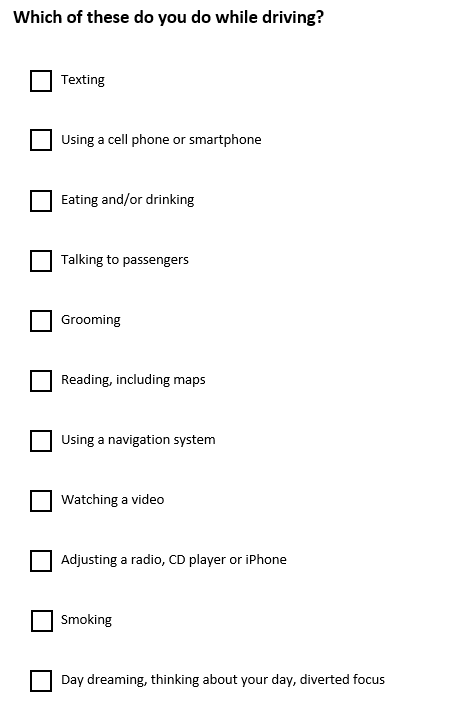
Have you ever done any of these things while driving? How many can you check?
Checking ANY of the above boxes means you’ve driven distracted. You were the hurling ball/piano. And I guarantee you’ve been in the path of a distracted driver in another vehicle.
What is Distracted Driving?
Simply put, it’s any visual or auditory activity that diverts your attention away from the primary task of driving.
Three Types
Manual – Distractions involving moving your hands from the wheel (changing the stereo, grabbing for your phone, eating, putting on makeup/shaving, etc.)
Visual – Focusing your eyes away from the road (checking out the hottie in the next car, reading billboards, looking in the rearview mirror at the kids, etc.)
Cognitive – Your mind wandering while driving (focused on work/home, having a conversation with yourself, someone on the phone or a passenger, etc.)
Which of these three types do you think applies to texting or using your cell phone without being hands-free? If you guessed all three, you’d be right!
This video absolutely will give you chills. Reggie Shaw was distracted and killed two people. Don’t be Reggie.
Which is Worse? Drunk Driving or Cell Phone Use?
According to the University of Utah, people are as impaired when they drive and talk on a cell phone as they are when they drive intoxicated at the legal blood alcohol level. YIKES! And USDOT states that text messaging increases the risk of crashes or near crashes by 23 times!
The Most Startling Distracted Driving Statistics for 2020
21% of teen drivers involved in a car accident were distracted by cell phones.
A teen driver with one additional passenger is twice as likely to be involved in a fatal car accident.
Texting or reading a text takes a driver’s eyes off the road for at least 5 seconds.
In some states, a distracted driving citation can raise insurance rates from $87 to $762.
According to the NHTSA, 660,000 drivers use electronic devices while driving.
Men are 4 times more likely to drink and drive, while women are more likely to text and drive.
Reaching for an object increases the chances of a car crash by 8 times according to the more alarming distracted driving statistics.
Parents with young children are more likely to be distracted behind the wheel than adults without kids in their car.
Once a driver has been distracted, it takes only 3 seconds for a car crash to occur.
In the United States, about 9 people are killed every day due to car crashes involving a distracted driver.
The organization, End Distracted Driving (endDD.org), provides some statistics on distracted driving that are worth reading. Share them with your teen drivers as well.
Zebra.com put together a very interesting study on distracted driving and compiled a list of texting while driving and cell phone requirements by state. Check it out as you head out on vacation this summer.
According to Magleby’s Safety Manual, for those that drive a company vehicle:
Vehicles will be operated within the requirements of all traffic rules and laws.
Handheld wireless communication devices shall not be used for text messaging or electronic mail communication while operating the vehicle (UT41-6a-1716).
Texting is never allowed while operating the vehicle.
Careless driving is prohibited. Careless driving includes using an electronic communication device (unless using a hands-free feature), searching for an item in the vehicle or attending to personal hygiene or grooming while operating the vehicle (UT 41-6a-1715).
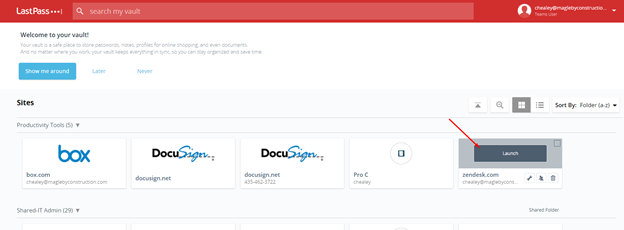
Your passwords are your number one way to protect yourself and the business. Passwords are the first line of defense in cybersecurity. Plus, LastPass will make life easier, as all you will ever need is ONE password.
What does LastPass do?
Last Pass is a secure way to store all your passwords. LastPass will require you to create ONE password to protect all your other passwords. It can also use biometrics (FaceID or Finger Print ID) to protect your passwords. LastPass will store all your other passwords in your “vault”. Once your passwords are stored in your vault, the passwords and usernames will autofill when using apps on your phone, or when signing into accounts on your computer.
Where can I learn more?
Here is a video tutorial on how to get and use Last Pass:
And now that you are all in, below is some more information to get started.
Spring has sprung, summer is coming, and the quarantine has been lifted (sort of!) Get out there and enjoy! And what better way to do that than a walk around the park or the block or the mall or the mountains. Walking is a great way to spend time with friends and family, improve your health AND earn you money!
Are you on Magleby’s medical insurance through MotivHealth? If so, are you missing out on your free money? I hope not!
MotivHealth offers a walking program that allows you and your spouse to each earn $20 per month just for walking! Can you believe it! All you need to do is walk at least 8,000 steps per day for at least 20 days per month. A cinch, right!?
When you log at least 8,000 steps per day for at least 20 days per month, you and your spouse will each earn $20 per month deposited into your HSA account. That’s up to $240 or $480 per year! And the best part is, since June is just around the corner, if you haven’t started yet, it’s not too late! Just sign up in June and you could earn up to $140 or $280 for the remainder of the year PLUS an additional $10 for each of you in December!
Why Walk?
Walking has MANY health benefits.
Improve digestion
Help improve mood
Reduce anxiety
Weight loss
Better sleep
Improve creativity
Less likely to suffer a stroke
Lower blood pressure
Curb diabetes
AND SO MUCH MORE!
Get Started
To start earning money for walking, log in to your MotivHealth account.
Follow the steps to set up your steps account. Setup a Device to pair your device with Motiv or you can request that Motiv send you a free fitness tracker. Simply call MotivHealth at (844) 234-4472 to get your tracker or for questions on the program.
If you use Motiv’s fitness tracker, they provide instructions on how to install the Garmin Connect app on your phone and sync your steps with Motiv.
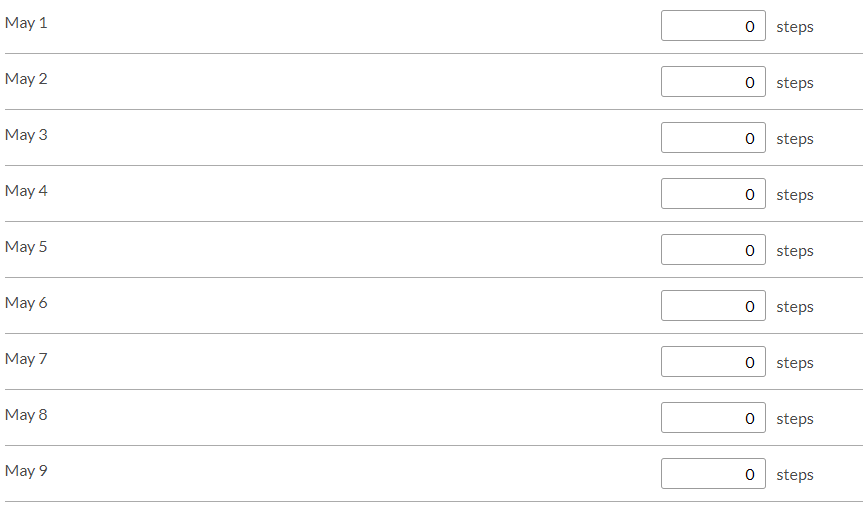
Once you’ve set up a device and synced it, you can either sync your steps or choose to Manually Log Steps.
Manually Logging Steps
If you choose to manually log the steps, it’s super easy. Keep track of your steps and type them into the tracker.
Manually logging steps is helpful if you use a different type of fitness tracker that doesn’t just track steps.
Temps are rising (finally!) and the throws of summer will be here before we know it! Are you prepared?
Every one of us is susceptible to heat stress and heat illness throughout the summer. Be aware of the signs and symptoms and take action to prevent it.
Super cool App
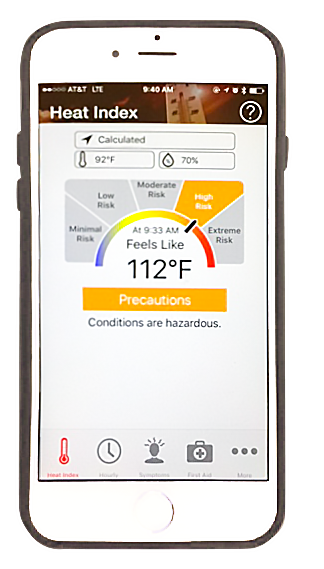
OSHA-NIOSH has a really cool Heat Safety Tool app available in the App Store and Google Play. It is a useful resource for planning your work based on how hot it feels. It gives a real-time heat index and hourly forecasts based on your location. Check it out!
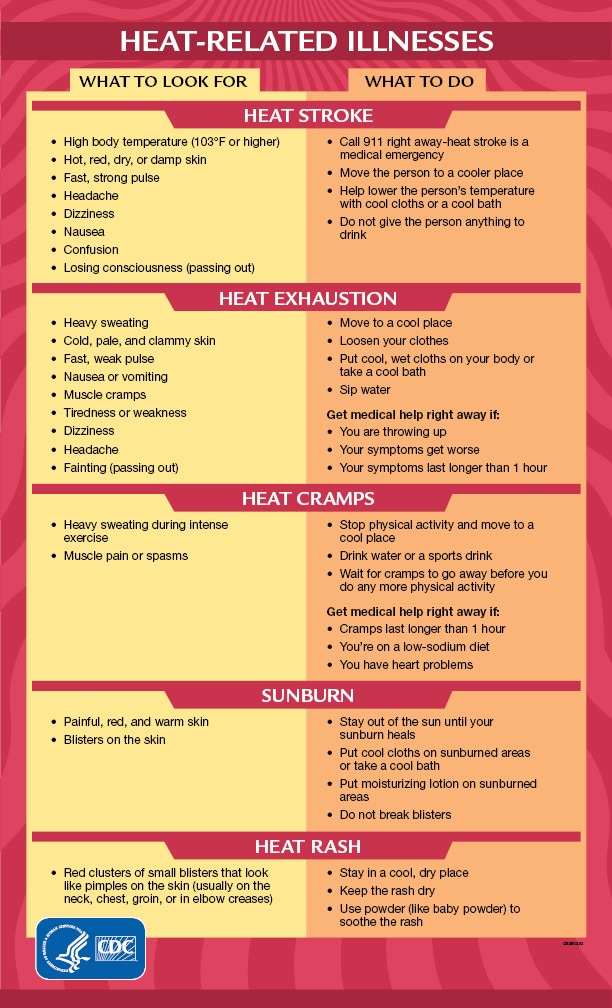
According to an OSHA Fact Sheet, there are several different heat illnesses, each varying in degree of severity.
Heat Stroke (MOST SERIOUS)
Heat stroke occurs when your body’s regulating temperature system fails and your body temp rises above 104 degrees. THIS IS A MEDICAL EMERGENCY AND YOU COULD DIE! CALL 911!
Signs of Heat Stroke:
Confusion
Loss of consciousness
Seizures
Decrease of complete stoppage of sweating
Until medical help arrives, get in a shady, cool area and remove as much clothing as possible. Wet yourself with cool water and circulate the air to speed cooling. Place ice or cold towels on yourself to help cool as well.
Heat Exhaustion (NEXT MOST SERIOUS)
If you have symptom of heat exhaustion, you may need medical attention.
Signs of Heat Exhaustion:
Headache
Nausea
Dizziness
Weakness
Irritability
Confusion
Thirst
Heavy sweating
Body temp greater than 104 degrees
Remove yourself from the hot area and drink liquids. Use cold compresses to cool your head, neck, and face or drench yourself with water. Sip frequent sips of cold water.
Heat Cramps
Muscle pain caused by loss of body salts and fluids during sweating. Replace fluids by drinking water and/or carbohydrate-electrolyte replacement every 15-20 minutes.
Heat Rash
This is the most common problem. It’s caused by sweating and looks like a red cluster of pimples or small blisters. You may get heat rash on your neck, upper check, groin, under breasts and elbow creases.
Keep the area dry and, if possible, move to a cooler, less humid area.
Protect Yourself
Wear light colored, breathable clothing
Build up to the heavy work and schedule it during the coolest part of the day
Got a smart phone with a camera in it? Who doesn’t? It’s the 21st century and the devices we live our lives through are amazing pieces of technology. This technology helps us stay connected with friends and family but also separates us from those that are right next to us.
I’d like to help you use your smart phone, more specifically the camera, to save special memories and moments in time as quickly as possible so that you can get back to living in the moment and not waste precious time behind your smart phone’s camera.
Missing Moments
It’s not hard to see the impact smart phones and their cameras have had on the world. Almost everywhere you go there will be someone with their phone out attempting to capture the moment. However, there’s always that one person that spends the entire time looking through the camera on their phone rather than enjoying the moment. I’ve witnessed it at national parks, dance recitals, family outings, etc. It can be a hard balance to find and I’d like to help you find it.
Quick Pictures
The key to finding a good balance of documenting memories but also living in the moment and enjoying those memories, without a phone in your hand, is learning how to take high quality pictures/video as quickly as possible so that you don’t have to spend the entire time hoping to capture the perfect moment. The human mind is an amazing thing. All it takes is seeing one picture to spark a flood of memories from a single vacation. There’s no need to have 40 hours worth of video footage and 1,000 pictures from a single trip to Arches National Park. Instead, a couple of high quality images combined with one-minute worth of video can be more effective and easier to enjoy years later.
This article focuses on the pictures part of that equation. I will address the video part in a future post. To help you learn how to take quality pictures, I’ve found a few YouTube videos that will show you how to take high quality pictures using nothing more than your smart phone.
Video Tutorials
This video teaches you some of the basics of photography and how to best arrange a picture. To apply this during your day-to-day, you want to practice being aware of the environment you’re in and watching for that perfect spot to stop, pose, and snap a well setup picture so that you can move on with your day without having to worry about taking more pictures.
The next video will show you how to edit pictures on your phone. I find this helpful with living in the moment because it helps me know that all I need to do is frame a picture well and then snap the picture without having to take the time to make sure that everything is perfect. Instead, I can open the image later and edit it to look as good as I remember it looking in person. Keep in mind that this is not a fix-all. If there’s a shadow going across one of the faces in the picture, you can’t simply edit that shadow out. So, do your best to take pictures that you know will edit well later.
Example
Here’s a quick visual representation of these principals.
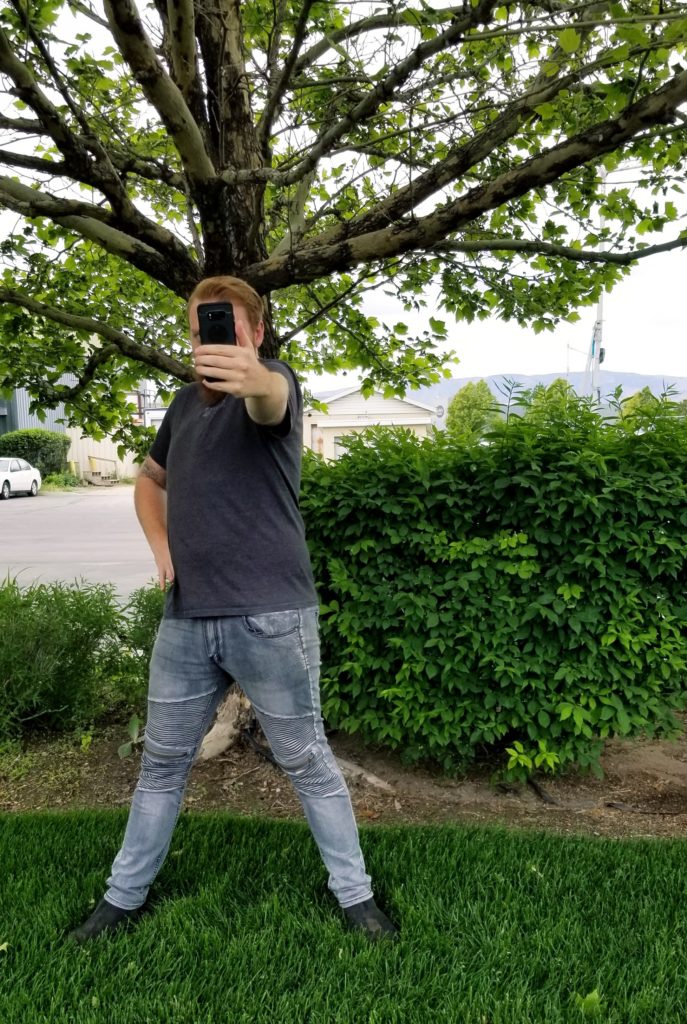
This picture is a picture of me taking a picture of Connor. There’s nothing that leads the eye to me as the subject and there’s not a good contrast between the subject and the background.
Now look at the picture that I took of Connor (taking a picture of me).
The lines of the background help direct your focus to Connor as the subject of the picture while the colors give a bright contrast without stealing the focus. This was all done in thirty seconds leaving me the rest of my day to focus on work instead of capturing an example image for this blog post.
Wrapping It Up
The key to success here is to give it time. Don’t try to become an expert the same day that you read this. Instead, practice overtime. You’ll get better and better with time. Save these two videos so that you can go back to them in the future. Explore other videos on YouTube to help as well. But remember, the point to all of this is reducing the amount of time you spend on your phone so that you can enjoy the moment.
As you are all well aware, credit card fraud is rampant these days! The Accounting team wanted to send out information regarding the disputation process for fraudulent transactions with Divvy. If you notice anything unusual with your card, please do the following:
Call the vendor that made the charge and request a reversal as soon as the transaction appears on the Divvy app
Dispute the transaction on the Divvy app
Email Constance Ireland ([email protected]) with the subject line “Divvy Fraud” and include in the body of the email:
Last 4 digits of the card number and name on the card
Vendor name
Date of transaction
Amount of transaction
The steps already taken to dispute the charge
If you have any further questions, feel free to reach out to Constance or myself.
Thank you for your attention to this important matter!
Lindsay Owen
Controller/Treasurer |Magleby Professional Services
Drop the work talk, we are getting personal and sharing the “Apps we Tap” in our own lives. Today, I am sharing one of my favorite apps for personal finance.
There are so many reasons I love this app and use it every day, but here are just a few:
All In One – Mint links up to all your savings, checking, loans, and credit card accounts in one place. Mint makes it so easy to see all your accounts in one place.
Budgeting – Because Mint links all your accounts in one place, it is easy to track your spending against your personal/family budgets. A big challenge in personal finance is being accountable in a timely manner to spending budgets, and Mint makes that easier.
Auto Categorization – Mint gets smarter over time and learns your spending habits. As Mint learns your spending habits, it will start to auto categorize your spending against the correct budget.
Communication/Healthy Relationships – A critical piece to any relationship is communication. It is well know that finances are the cause of many relational issues. Once the budget is set, and accounts are linked, communication about spending is made so much easier with Mint.
There you have it and I hope that you check it out, because Mint is an App I Tap.
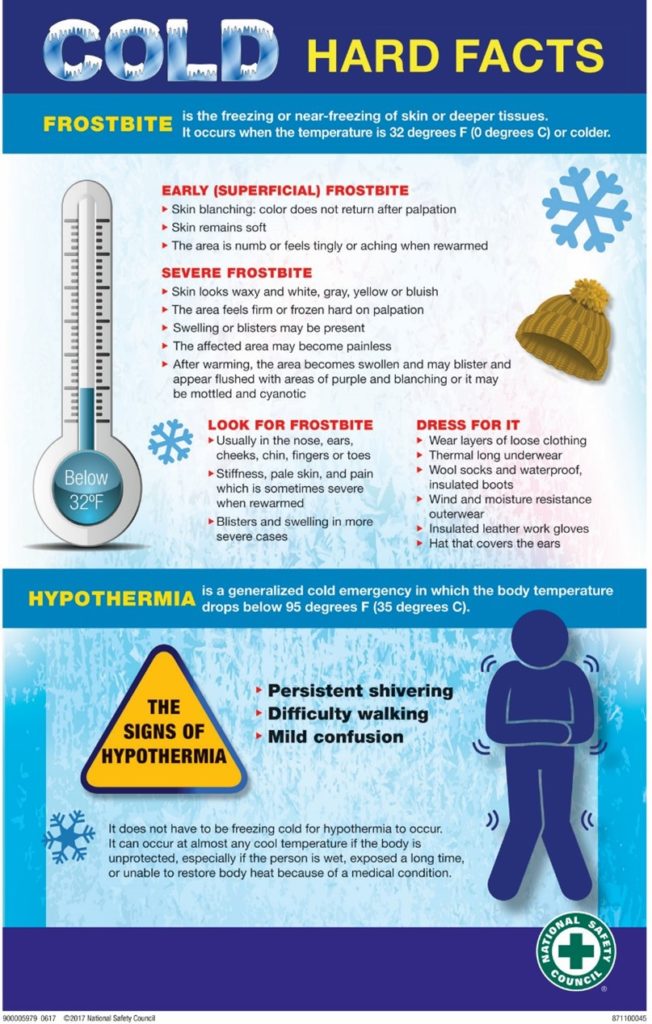
Without much a Fall season we have transitioned into Winter weather. Now is a good time to be reminded of cold weather precautions to stay safe and healthy.
WARM THE BODY – Before performing heavy lifting or strenuous activities, it is important to warmup, stretch, and ensure your body is physically ready for the activity.
DRESS APPROPRIATELY – Wear proper clothing to stay warm.
Wear layers.
Wear wind and moisture resistant outerwear.
Use gloves.
Wear hats that cover the ears.
WATCH FOR SYMPTOMS – Know the tale tell signs that the body is too cold.
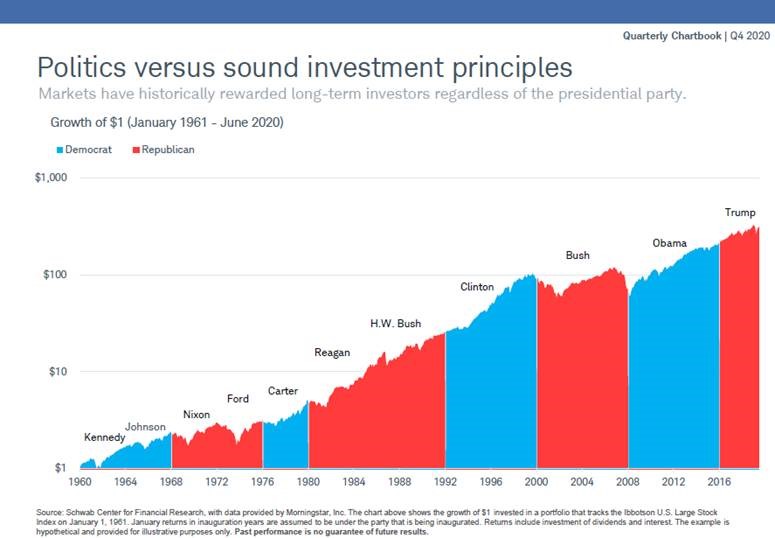
I know many of you are feeling anxious about a lot of things these days. Among those worrisome issues are the upcoming elections, and concerns about what to do with your 401k investments to prepare for the next few months. The chart below, taken from the Schwab Center for Financial Research, shows that regardless of which party is in the White House, the best protection for investments is to stay the course and invest for the long-term. History has shown over and over that if you keep your eye on the long term, investments will continue to grow regardless of who wins elections.
There will likely be some volatility between now and the end of 2020, especially if there continues to be uncertainty over the election outcome, the COVID-19 vaccine and stimulus support for those in need. However, the projections for 2021 are pointing to more stability and economic growth, so let’s hang in there and let the good times roll!
Please let me know if you have any questions or concerns about your 401k or preparing for retirement.
2020 has been quite a year of adjustments and changes. What’s happening within Magleby Construction is a reflection of some of those adjustments.
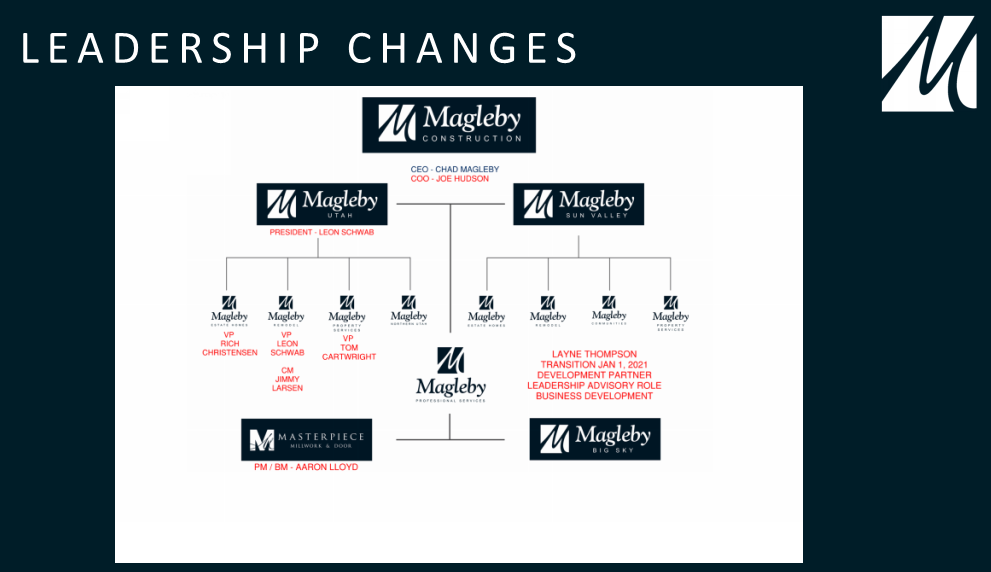
In Chad’s State of the Company address, he noted some high-level additions and moves to strategically stack our leadership for great success as the Company wades through the year, hitting as many high notes as we can.
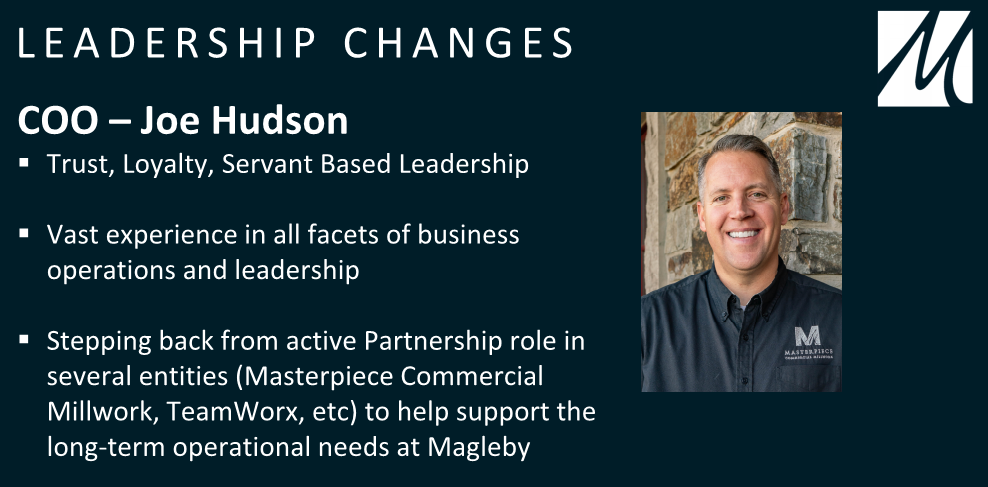
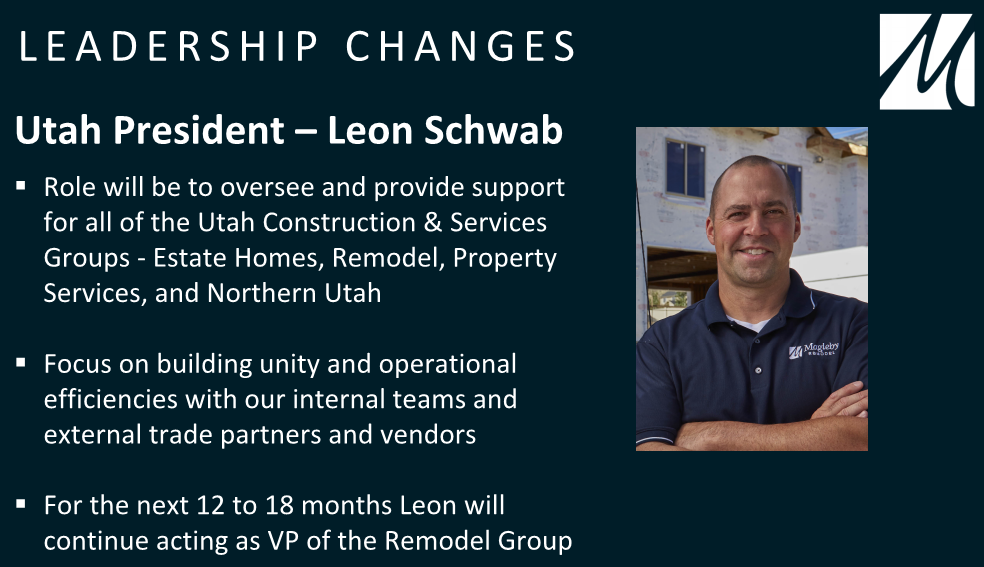
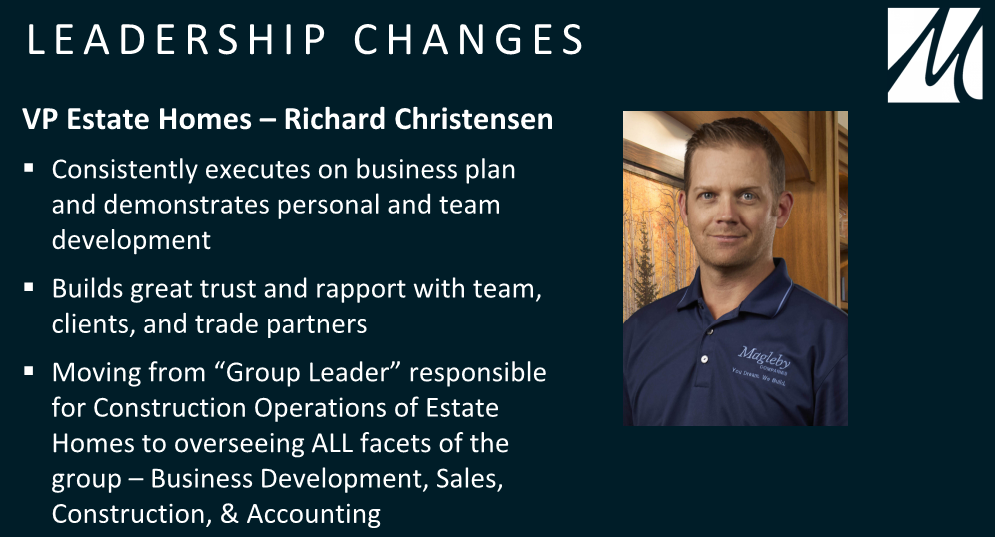
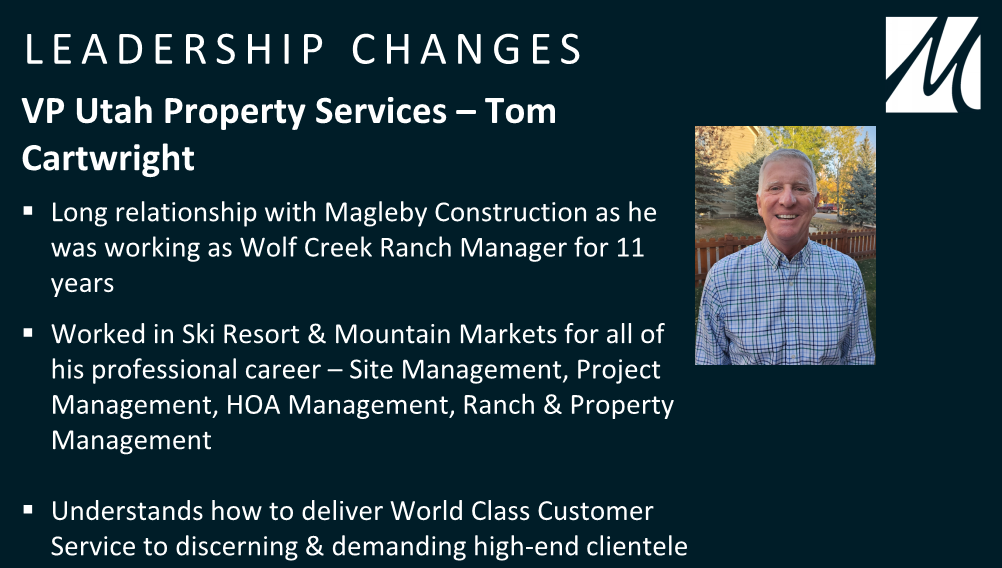
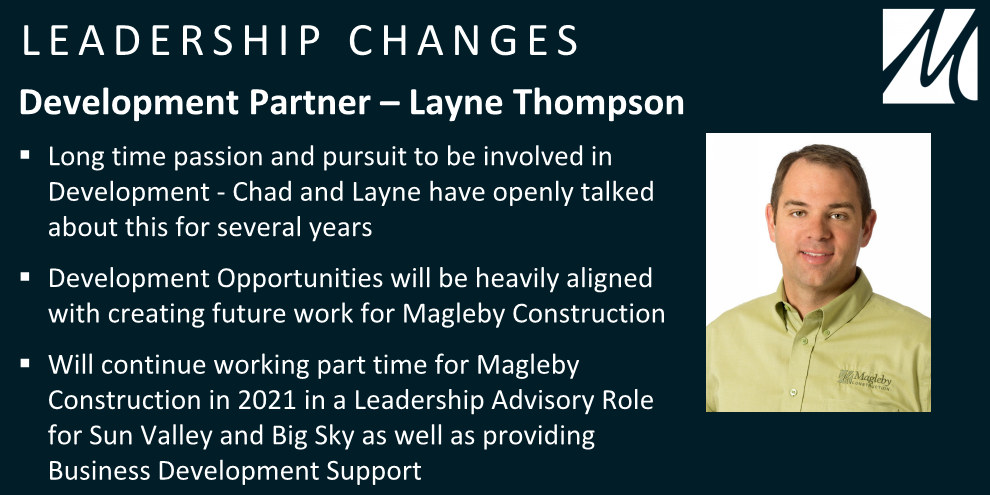
This org chart shows key changes to the leadership team.Joe originally joined the Magleby Construction team in 2015 and has offered his talents in various leadership roles across teams. Leon has grown the Remodel Group leaps and bounds from where it was when he first started in 2015. His leadership and building skills make him the right choice to oversee our Utah operational groups. Rich is a great example of taking advantage of the opportunity for growth here at Magleby Construction. With almost 20 years tenure here at the Company, Rich started with some basic shop help and worked his way through various roles, earned a Master’s degree, and has certainly earned his role as VP of Estate Homes. We’re looking forward to Tom taking our Property Services Group to the next level with his background and expertise. With the support of his wife Lori, who will be assisting Tom with the PS Group, this team is sure to become coveted home service pros.Layne has been a valued contributing leader within Magleby Construction since 2014. We look forward to working with Layne as he expands his endeavors.
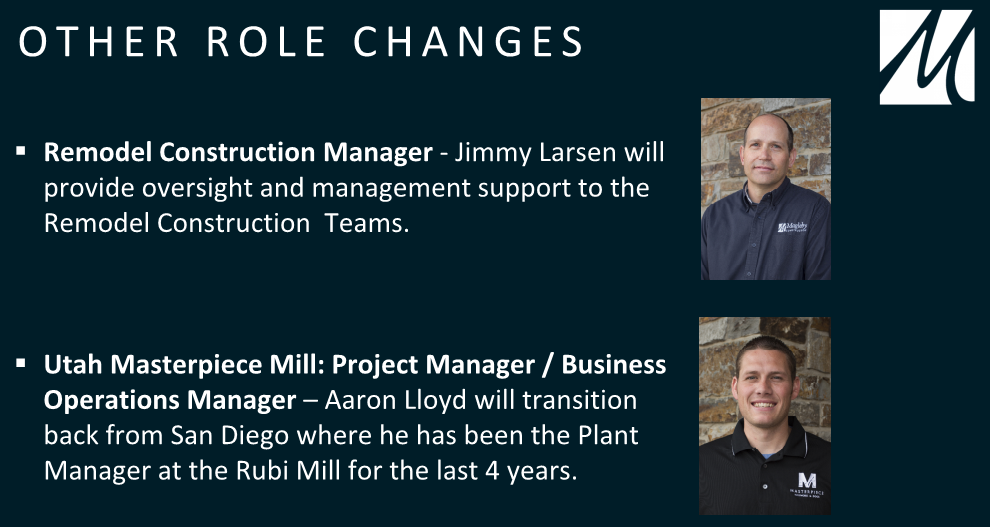
Jimmy has provided his talented skill set to his work at Magleby Construction since 2015. He will no doubt be a great manager for his Remodel group.
Aaron joined the Magleby Construction team at the beginning of 2014 and continued on with Masterpiece Commercial Millwork as a strategic manager of their mill in Mexico. We’re happy to have him back to strategize to make Masterpiece Millwork & Door a force in the industry.
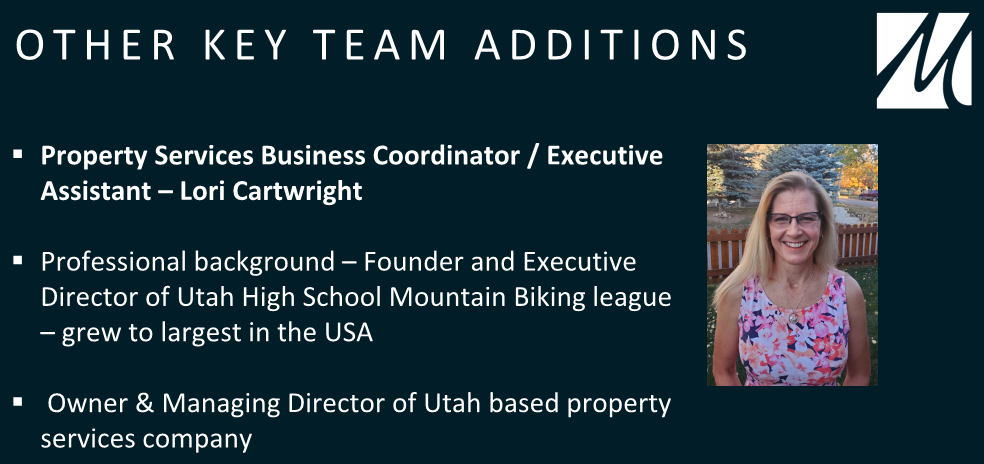
Magleby Construction is well known for not being afraid to hire spouses. Lori comes to sweeten the package deal with her husband Tom who will be leading the Property Services Group. She’ll assist Tom and serve as Chad’s Executive Assistant.
We’re excited for these changes and for the opportunity to work with such talented employees and leaders.
Over the past month some updates to vehicle accident procedures and reporting were made. If you drive a company vehicle, you should have recently received a new packet for the vehicle that included these new instructions along with an updated 2020 insurance ID card.
Moving forward, here is what you need to know about a vehicle accident in a company vehicle.
If an Accident Occurs
In the event of an accident in a company vehicle, regardless of what happens, you should:
STOP – Always stop if an accident occurs.
EVALUATE – Determine if medical attention is needed. CALL 911 if medical attention is needed.
NOTIFY – Call police to collect an incident report. Next contact Don De St Jeor @ 801.376.9957 or Krystofer Gardner @ 801.850.3686.
EXCHANGE – Exchange insurance, registration, and drivers’ licenses of those involved. DO NOT discuss the accident with others except police, medical professionals, or company representatives.
DOCUMENT – Take photos of the accident, and fill out accident report.
Motor Vehicle Accident Report
As part of Step 5, as identified above, you will need to fill out and submit a Motor Vehicle Accident Report. The purpose of the report is to document who was involved, and what happened. This form is required to be submitted, no matter how large or small the accident.
To download a copy of the accident form you can either scan the QR code below or click on this link.
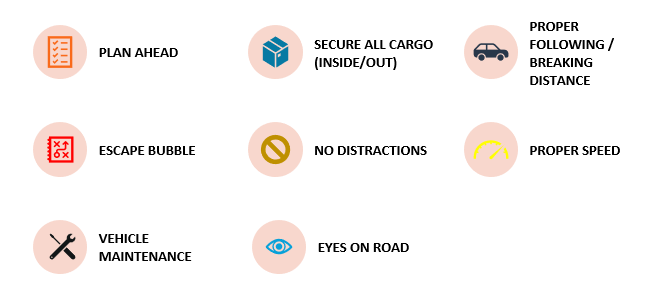
Now, no one likes filling out reports, so the best thing to do is be alert and drive safely. On your next – and every – driving trip, focus on driving, not multi-tasking.
Did you notice the new banner on all emails coming from an External (outside of Magleby Construction) source? Unfortunately, as employees we continue to not learn the lesson that if the email doesn’t pass the SNIFF test, it is likely phishy (or a phishing scam).
New Banner Bar
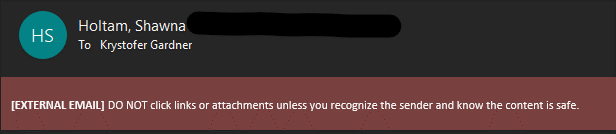
Here is what the new banner bar looks like (below). It is big and red, and reads “[EXTERNAL EMAIL] DO NOT click on links or attachments unless you recognize the sender and know the content is safe.”
This banner bar is a visual reminder to ask a few questions about the validity of the email that is sent before proceeding with opening links, attachments, or entering any type of personal information. If you see this banner, always use the SNIFF test.
SNIFF Test
Ask yourself these questions before proceeding:
S – Sender – do you know the sender? Is the sender really who they claim to be? (E.g. it says it is from Chad Magleby, but the address is [email protected]).
N – Normal – is it normal that the sender would email you, and discuss the topic that was emailed about? If you would normally not receive communication on the topic of the email, why would things have changed? If the email doesn’t seem normal, be suspicious.
I – Internal – does the sender claim to be someone internally within the organization? If so, why is the “External” banner bar showing? Or does the person claim to know someone internally in the organization? If so, validate with the referenced individual about the validity of the email.
F – Familiar – are you familiar with the sender? If you weren’t expecting an email from the sender, question the validity of any attachments or links.
F – Fishy – does anything about the email make you question? Attachments or links should NOT ask for your username or password. If so, IT would be happy to look at it first.
Remember that the consequences of clicking on fraudulent links are massive. Everything from your personal information, to client personal information, to company private information is put at risk when a scammer succeeds at getting you to click on something illegitimate.
Be careful and use the SNIFF test.
For a good review check out these two previously posted articles.
Magleby is excited to announce that we have partnered with Diversified Insurance Group as our new benefits broker. Diversified and Magleby share the same vision of employee benefits and healthcare and both partner with MotivHealth to drive change in a broken medical system. We are thrilled they are part of our team!
Why Does This Matter To You?
First and foremost, Diversified has offered Magleby a dedicated employee benefits advocate that is there to help YOU with benefits questions and concerns. When it comes to health insurance and benefits, sometimes benefits issues can be very time consuming and confusing. You now have a dedicated team with an employee advocate and coordinators that work together to offer you a place you can go when you need assistance – no matter how big or small the issue may be.
Your dedicated employee advocate team can help you with some of the following issues:
Explain how to use the entire employee benefits package
Assist in obtaining additional insurance Identification cards
Clarify the total and out-of-pocket cost for services provided
Assist with referrals and prior authorizations
Help with all levels of appeals
Work with carriers on billing/claim payment issues for employee medical/dental/vision/life
Coordinate between pharmacy and health plan for escalated pharmacy issues
Work with providers to file paperwork if claims have denied due to lack of required authorization
Answer questions and provide a recommended resolution
Assist with pre-existing and coverage requirements
Guide with a direction or obtaining authorization on medications
Ensure services are being coordinated when multiple doctors or coverages are involved
Help when gaining access to care and services
Explain preventative care and guidelines
Assist in finding a specialist for a condition or diagnosis
Explain network contracting, and contracted or non-contracted providers and payments
Assist with carrier’s online portal access
To access your designated advocate team please have use the following information:
Phone number: 801-325-5028 or 888-244-1212 ext. 5028
Diversified’s team will help us keep on top of what’s trending in employee benefits, negotiate for us the best prices for benefits, and be sure we are competitive with our employee benefits offerings. They’ll also provide behind the scenes reporting on our medical claims and make recommendations so we can continue to manage claims and keep claims costs as low as possible. That creates a win-win between you and Magleby as we benefit from lower overall premiums.
It’s that all too familiar time of year…flu season. However, added to flu season this year is covid-19 and this pair is NOT a friendly combination. In a bad flu season (Dec-Feb), nearly 40-50 million Americans catch the flu with approximately 800,000 needing hospitalization. Add those numbers to the covid cases requiring hospitalization and it’s very likely we could overwhelm our healthcare system this year. The answer that may help? Getting your flu shot.
How Much Does The Flu Shot Cost?
Flu shots are covered 100% by your insurance, whether you are covered under Magleby’s plan or another plan. However, how they are paid for varies between getting your flu shot at a doctor’s office or at a pharmacy.
Doctor’s office
If you get your flu shot at a doctor’s office, they will bill the shot through the insurance to be paid. There will be no cost to you at the time of the shot. Getting the shot from a doctor’s office is convenient for billing purposes but not so convenient for having to schedule an appointment, take time off work, and wait in the waiting room before your appointment.
Pharmacy
Getting your flu shot at a pharmacy is not only far more convenient for you because you can just swing by and get it, but the shot itself costs less so insurance claims are lower. However, the pharmacy will not be able to bill the insurance directly. You’ll need to pay up front for the shot and then submit the receipt and reimbursement form to MotivHealth below (or, if you don’t have Motiv, get a reimbursement form from your insurance carrier.) Motiv will process the claim very quickly and mail you a check for the cost of the shot. The convenience of getting in and getting out to get your shot far outweighs the inconvenience of emailing a form for reimbursement.
Different flu shots are approved for people of different ages. Everyone should get a vaccine that is appropriate for their age.
There are inactivated influenza vaccines (IIV) that are approved for people as young as 6 months of age.
Some vaccines are only approved for adults. For example, the recombinant influenza vaccine (RIV) is approved for people aged 18 years and older, and the adjuvanted and high-dose inactivated vaccines are approved for people aged 65 years and older.
Pregnant women and people with certain chronic health conditions can get a flu shot.
Children younger than 6 months of age are too young to get a flu shot.
People with severe, life-threatening allergies to flu vaccine or any ingredient in the vaccine. This might include gelatin, antibiotics, or other ingredients. See Special Considerations Regarding Egg Allergy for more information about egg allergies and flu vaccine.
People who should talk to their health care provider before getting a flu shot:
If you have one of the following conditions, talk with your health care provider. He or she can help decide whether vaccination is right for you, and select the best vaccine for your situation:
If you have an allergy to eggs or any of the ingredients in the vaccine. Talk to your doctor about your allergy. See Special Considerations Regarding Egg Allergy for more information about egg allergies and flu vaccine.
If you ever had Guillain-Barré Syndrome (a severe paralyzing illness, also called GBS). Some people with a history of GBS should not get a flu vaccine. Talk to your doctor about your GBS history.
If you are not feeling well, talk to your doctor about your symptoms.
As surprising as it may sound, your company issued computer is meant to restart from time to time, rather than just going to sleep when it is not in use. Across the company there has been an increasing number of employees who have not restarted their computer for significant periods of time. It is critical for your computer to restart on a regular basis.
Restarting your computer does two things:
Allows critical updates to finish installing
Clears RAM for improved performance
Here is a quick rundown of a few questions you may have.
When should I restart my computer?
If there is ever a pending update, you must restart your computer to finish the install. You can tell if there is a pending update if you see this icon at the bottom of your screen.
In addition, it is a good general practice to restart at least once a week to clear your RAM for improved computer performance. The IT department has seen other hardware failures from computers whose RAM usage has been too high for a prolonged period of time.
Is there anything special I need to know when restarting?
If you are restarting due to a pending update, always make sure that your computer has more than 50% battery capacity left, or it is plugged in. If you initiate a restart for an update, and your computer dies in the process, the computer will not be able to turn back on. This will require the help of IT to get your computer back up and working, with the potential that the computer will have to be factory reset.
In summary, if you can’t remember the last time you restarted your computer, right now is the time to restart your computer.
Caliber Wealth Management is the advisory firm for the Magleby Professional Services 401k plan. We’re here to help with any questions you may have about your 401k account, and to help you with your retirement savings and planning.
Recently, while logging in to some of our accounts, we have come across the following notification from Touchstone Retirement Services, the custodian of the Magleby 401k plan. I thought we would pass this on as a heads up to be alert and watchful for scams attempting to get access to personal information.
“Recently a spoofed e-mail was sent by a malicious group purporting to be from our customer service team. The message mentioned an invoice and included a PDF attachment. We never e-mail invoices to participants, nor are they sent by our Client Services team. If you received one of these messages, please delete it immediately. Please note that this does not indicate that a data breach has occurred. Touchstone has not had a data breach and your information remains secure.
“We take the security of your data very seriously and have employed a number of measures designed to safeguard your data. However, the best way to secure your data is to be diligent with your user ID and password information, and mindful of any transaction notifications related to your account.
“If you have any questions or concerns please feel free to contact us by phone at 1-877-937-2040 or e-mail to [email protected].”
Please remember to be vigilant in watching for scams or other fraudulent activities with all of your financial accounts, including your 401k information.
As always, we are available for any questions or assistance you may need as you prepare for retirement!
Best regards,
The Caliber Wealth Team 1436 E. 820 N. Orem, Utah 84097 (385) 223-8688 or (844)358-6592 Fax: (801) 607-1941
Caliber Wealth Management, LLC is a branch office of DFPG Investments, LLC. Securities offered through DFPG Investments, LLC. Member FINRA/SiPC. Investment advisory services offered through Caliber Wealth Management, LLC. DFPG Investments, LLC and Caliber Wealth Management, LLC are not affiliated.
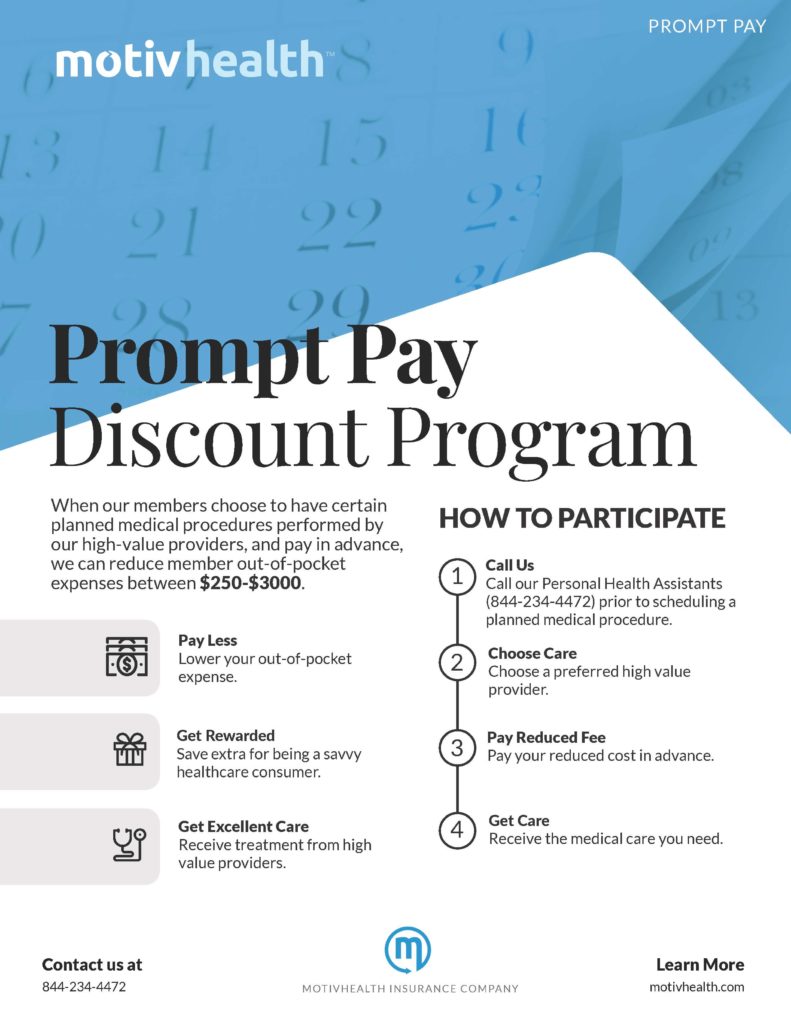
I have some bad news. Several of our employees ended up paying too much for CT scans and MRI’s because they didn’t take advantage of MotivHealth’s Prompt Pay Program. These folks collectively spent over $4,000 more than they would have had they used Motiv’s Prompt Pay Program.
In the Prompt Pay Program, Motiv partners with specific providers and facilities to offer a discounted rate for certain planned medical procedures like CT scans and MRI’s. By paying in advance of the procedure, you would benefit from that discount AND get $250 deposited into your Health Savings Account! What’s more is that, even though you get $250 in your HSA as part of the prompt pay savings, the full amount of the cost of the procedure is credited towards your deductible or coinsurance.
Users of the Prompt Pay Program save an average of $250 – $3,000 dollars! Be one of them!
Here’s an example (numbers for illustration purposes only):
CT Scan
Cost without Prompt Pay: $1,800
Cost using a preferred Prompt Pay partner: $1,200
Pay up front and get $250 in your HSA…
…AND the full $1,200 applies to your deductible or coinsurance.
Using Motiv’s Prompt Pay Program lowers your out-of-pocket expenses and puts money in your (HSA) pocket!
So next time you are having any sort of planned procedure, be sure to call Motiv at (844) 234-4472 and ask if the Prompt Pay Program is available for you!
Company culture is important at Magleby Construction. Every year our leadership team huddles to review, hash out, and devise new focuses for a new year based on our core values.
Why is company culture important?
Our organizational culture drives the success and overall health of our company, our employees, trade partners and even our customers. Magleby Construction’s identity, internally and externally, is defined by our culture. It defines how we do business, how we interact with each other within the company, with our trade partners, suppliers we do business with and especially our customers. Our culture represents the way we do business.
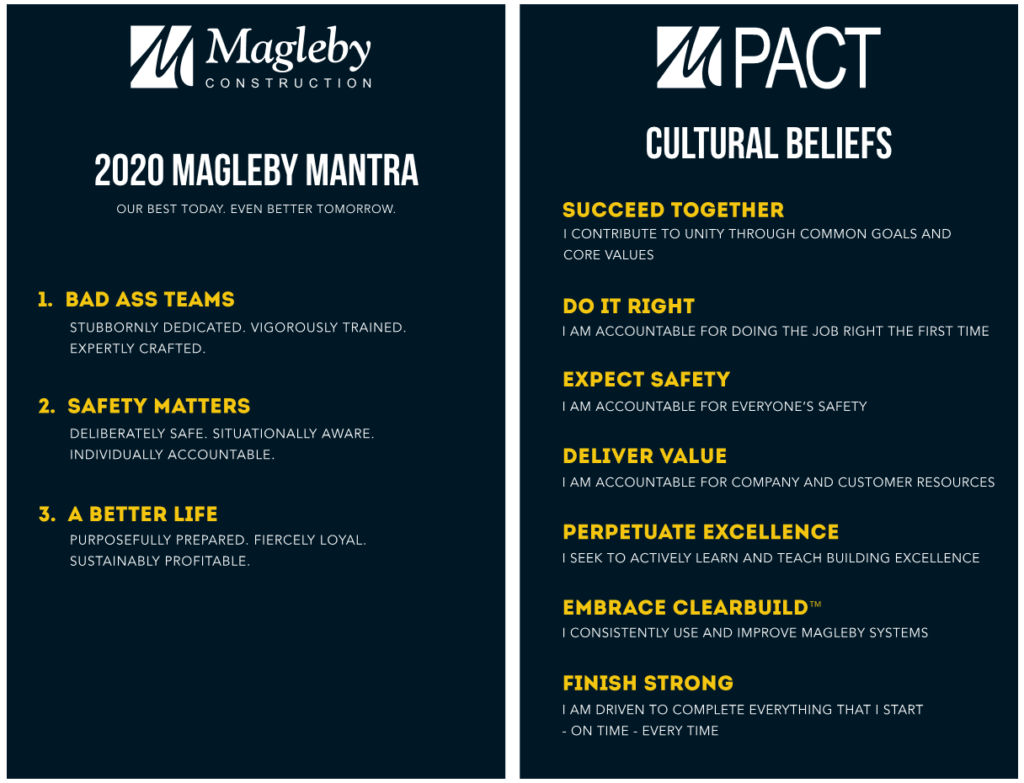
The Magleby Construction culture is the sum of our beliefs – our Mantras – in action. We strive to keep our Magleby Mantras front and center in our daily operations and in our organizational structure to solidify our beliefs for a successful organization.
Our hope is that you as Magleby Construction employees become cultural advocates for “the Magleby Way”. What you do matters immensely and our hope is that you live the culture to your best ability internally and externally with the understanding that you represent the core of Magleby Construction.
Magleby Mantras
Our best today. Even better tomorrow.
In 2020 the leadership team wanted to simplify what used to be called Key Results of the company and make them something that each and every employee could relate to and own. Out of deliberation, contemplation and feedback from employees the Magleby Mantras were born. Backed by our foundational Cultural Beliefs, the Magleby Mantras take what’s important to our company and provide basic alignment for us to adhere to in our day-to-day operations.
Click here for a copy of the 2020 Magleby Mantras and Cultural beliefs. We encourage you to keep these core beliefs with you as you run through your daily job tasks, keeping in mind the importance of each Mantra and Cultural Belief. You can also request a copy from the human resource team at Magleby Construction.
Too often we live far below our privileges. Such might be the case for you if you have a Magleby email account and you haven’t downloaded Microsoft’s 365 mobile apps. There are ways to connect and use Microsoft tools like Word, Excel, OneNote, and Outlook on mobile devices.
If you are interested in taking advantage of what Microsoft has to offer, check out these apps for mobile:
Office App
This app is the go to App for simple review of most Microsoft products (Word, Excel, Powerpoint, Sticky Notes). You can connect to your Box account, review and update documents with simplified functionality.
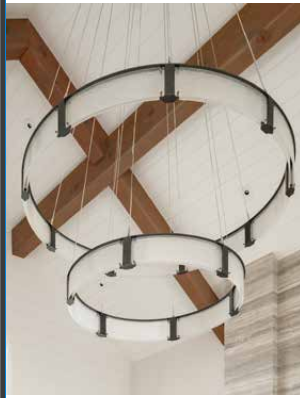
As we read in Magleby In Motion, Chad’s house is affectionately called Magleby Haus. We are excited to share that lighting in Magleby Haus was featured in the Summer issue of Western Home Journal.
Hammerton | Elume Distinctive Lighting is a Salt Lake City based firm that creates custom lighting pieces and Chad’s house showcases their work beautifully. These lighting masterpieces hang with pride in Chad’s house.
Check out the article online or read all about “Seeking Brilliance” by downloading it.
Check out the article link online or it’s posted below.
Magleby Construction
1291 WEST CENTER ST., LINDON, UT 84042
Magleby Estate Homes is an award-winning builder with an impressive array of timber-made residential projects in its portfolio. The firm is a two-time National Custom Home Builder of the Year with the NAHB, as its top-notch work and consistent service have made it a prominent player in the Mountain West construction arena. The firm guides the customer hand-in-hand from the pre-construction and design phase up until the post-construction stages, a trait innate in every member of its veteran team. Attention to detail, transparency and trustworthiness in cost management, and quality, sustainable building practices are also traits commended by former clientele.
President and CEO Chad Magleby constantly steer the firm towards success through a deep understanding of the business. As a second-generation owner, Chad is building upon the legacy started by his father and Magleby Construction founder, Paul Magleby. Holding a degree in Construction Management and an MBA, Chad has developed his skills not only in management and building but also in building customer relationships in the industry.
The Draper Estate featured is a project built by Magleby Estate Homes. Its rustic wood and stone exterior reflects a classic mountain home atmosphere infused with a sophisticated touch.
Another resource to purchase HSA eligible items is the HSA Store. You can use your Motiv HSA card to purchase items from the HSA Store and have them shipped to your home. This online store is a GREAT WAY to identify things you buy anyway and use TAX-FREE money to pay for it!
What Does the IRS Say?
Governance of HSA spending is set by the IRS. Be sure you understand the rules by checking out this IRS Publication 969 that discusses Health Savings Accounts.
MotivHealth has taken a very cool approach in helping you understand how their programs help you. MotivHealth believes that “Smarter members save money” so they’ve put together MotivU. It’s a 5 course program that could earn you AND your spouse $50 each!
Courses
When you or your spouse complete each course and take the short quiz after each, Motiv will deposit the amounts below into your HSA.
Course 1: MotiveHealth Welcome = $5.00
Course 2: Health Insurance 101 = $5.00
Course 3: Health Savings Accounts = $10.00
Course 4: Member Programs = $10.00
Course 5: Recap = $20.00
Completion
You can complete the courses at any time and at your own pace. Each course has a short 1-5 minute video lesson. Or, if you prefer to learn by reading, you can find the written information below each video.
At the end of each course section there is a short quiz to check your understanding. Be sure to pay attention because you have to score 100% on the quizzes before moving forward.
You have the ability, just like on YouTube, to change the speed at which you listen to the video. Here’s to 2X, lol.
Watch This
This video explains more about MotivU and the $50 incentive.
Start Today
Log in to your MotivHealth account at www.motivhealth.com and click the MotivU link at the top right or the MotivU image in the middle of the page to start earning.
You may have noticed that Outlook has released an update! One of the more noticeable changes is the relocation of the search bar. The search bar is now located at the top right of Outlook in the banner bar.
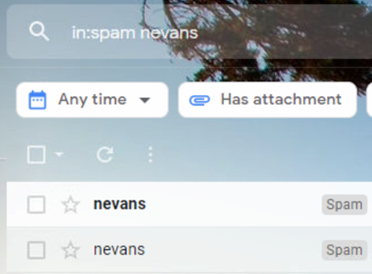
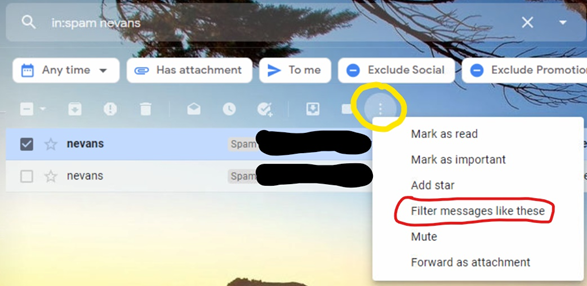
With the change in location of the search bar, it is a good opportunity to learn some helpful tips to better utilize this search bar. Using a few simple search terms, you can isolate emails quicker and faster than using just generic search terms.
Here is a list of specific ways to isolate information and narrow your search results:
subject: Searches the subject of all emails for a specified word
from: Searches for emails from a specified sender
to: Searches for emails to a specified sender
cc: Searches the cc line for specified recipients
before: Searches only before a specified time
after: Searches only after a specified time
has:attachment: Searches emails with attachments only
You can also combine these such as “before:07/01/2020 :after 06/01/2020” to find emails from a specific time frame.
Try these out and you might have an easier time finding that elusive email next time you are trying to find an old email.
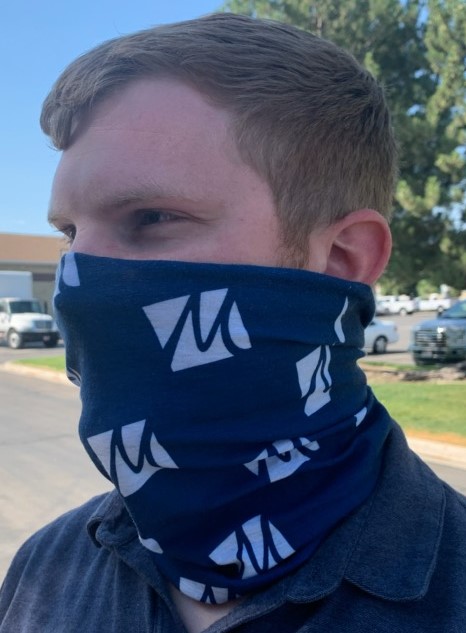
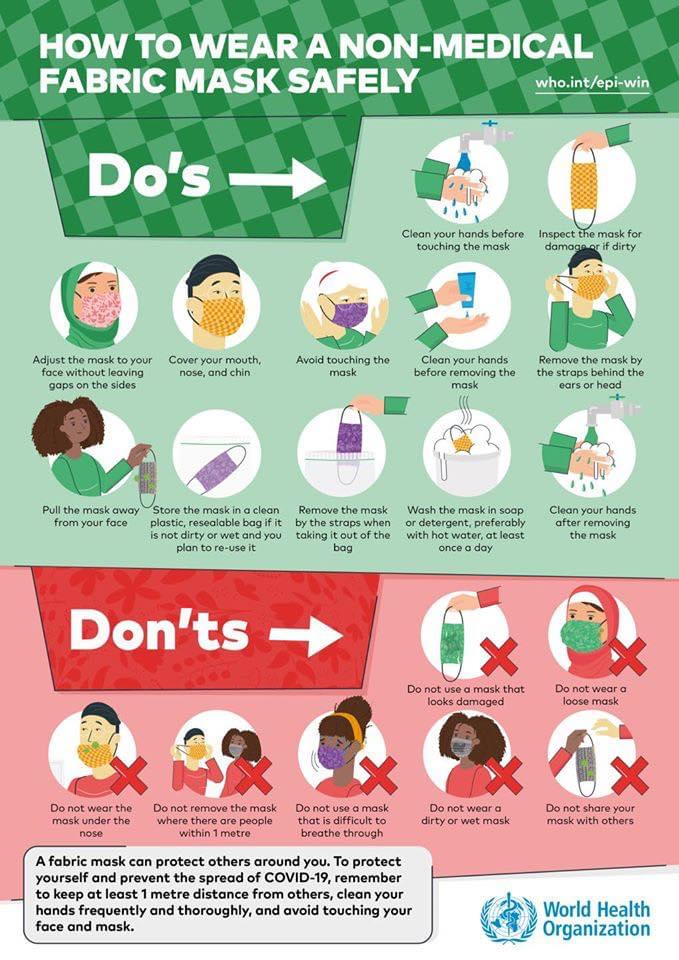
Who knew six months ago that wearing a neck buff or face mask would be all the rage…both good and bad? All the rage meaning we now have to wear them everywhere so people are getting fashionable and fun with them…and all the rage meaning it’s irritating as crap! But…if you have to wear them, you may as well wear them correctly! Help prevent your spit from spreading!
Check out this amazing video from PBS Digital Studios. It shows you EXACTLY if a mask helps or not.
The info below applies not only to wearing a non-medical fabric mask but for wearing your new Magleby or Masterpiece buffs as well. Be safe! Wear it right!
Not sure why the heck you should even wear one. The CDC says it helps PREVENT YOUR SPIT FROM GETTING ON SOMEONE!
Cloth face coverings help prevent respiratory droplets from traveling through the air and onto someone else when you:
TALK!
Cough
Sneeze
Raise your voice (I’m sure you never to that, but still…)
Wear your neck buff or cloth face mask when you are within 6′ of someone or when required by local, state, federal mandate or it’s posted at a business, etc.
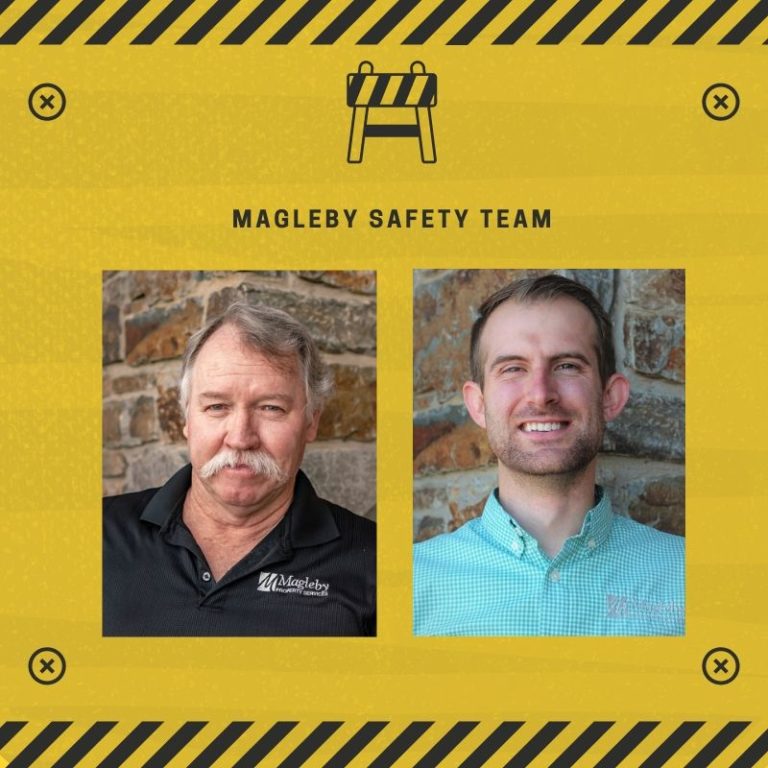
As you know, Don De St Jeor has been supporting our safety efforts on a part-time basis while working with our Property Services team. Our company and number of projects has grown to the point that we now need Don full-time in safety. Don will be supporting the Utah safety programs for Magleby Construction and Masterpiece Trade Services (MTS) as well as the Sun Valley and Big Sky markets.
With Scott Magleby moving to support MTS as Office Manager, the Worker’s Compensation Insurance reporting, tracking and claims will now be handled by Don. Don will also be regularly visiting our project sites to offer assistance and support from the safety front.
You may also have heard that Todd Christensen has decided to retire at the end of 2021. Todd was instrumental in creating Magleby’s Safety Program and has served as executive oversight. As you can imagine, he has a wealth of knowledge and experience in safety that will take quite a while to hand off. Krystofer Gardner has agreed to take on the task. Over the coming months, he and Todd will be working closely to make the transition. Krystofer will move to providing executive oversight to the safety program and support Don as he leads out in the day-to-day safety program management. Krystofer is already heavily involved in other insurance and risk areas so this is a natural fit. Although we know no one will ever fill Todd’s shoes, with Krystofer’s knowledge of construction as well as our systems and our teams, he’s sure to give it a great effort.
We are sensitive to the needs of our clients in Property Services and don’t want them to experience any negative effects of Don’s departure from that team. Therefore, Don’s transition to a full-time safety role with take a few months. We’ll begin with transferring the administrative side of things from Scott and then move to have Don on sites more regularly after that. Quinn Heder is working closely with Krystofer and Kris Talynn to ensure a smooth transition and to find a qualified back fill for Don’s Property Services Technician role.
For any type of worker’s compensation, general liability, or auto policy concerns, etc. please reach out to Krystofer.
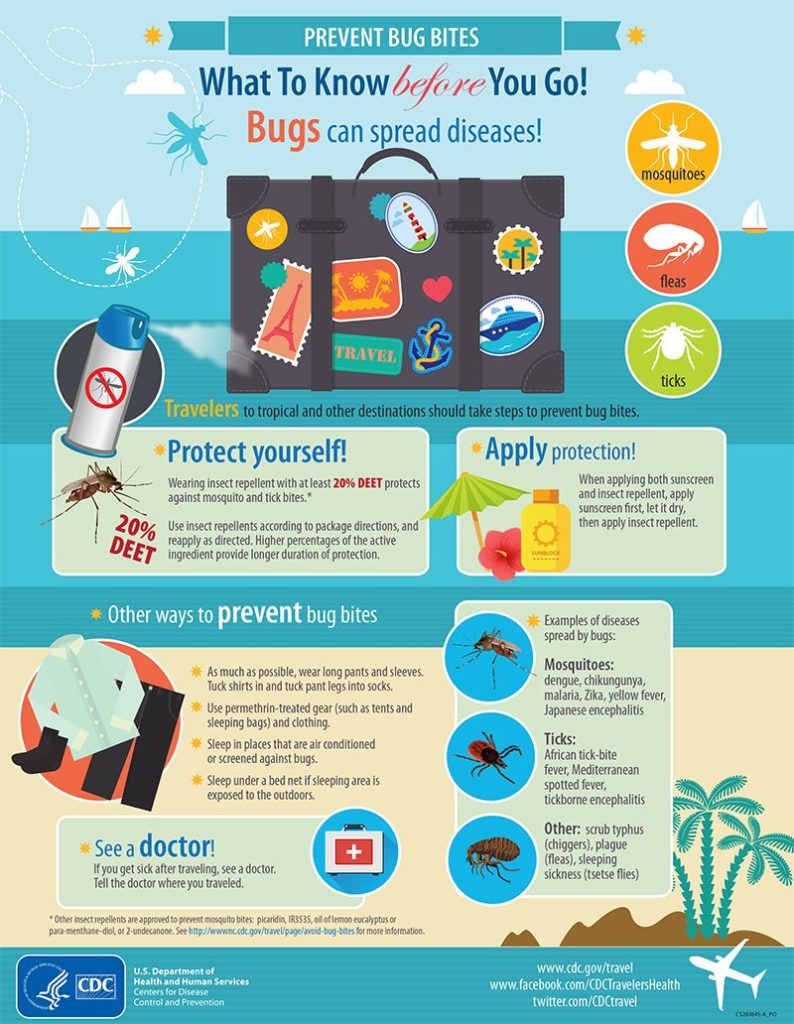
This summer more of us are spending time outdoors either hiking, biking, camping or playing in the water. It’s a great time of year to take advantage of the great weather and outdoor fun. Unfortunately, it also happens to be the time of year that insects like mosquitos, ticks, spiders, bees and gnats are out and about.
As soon as the weather starts to bloom with Spring, typically around May, these pesty creatures are out on the prowl for their next victim. In an article published in the National Center for Biotechnology, their team found that from 2001 to 2010, for people that visited emergency departments for non-canine bite and sting injures, insects accounted for 67.5% of bite and sting injuries, followed by 20.8% of arachnids. They also noted that the number of bedbug bite injuries increased more than 7-fold from 2007-2010. Yikes!
Why do insects bite or sting?
It’s not in your head. Mosquitos and other insects really do prefer some people to others. Insects like mosquitos are particularly drawn to certain chemicals, like lactic acid, in our skin. And some people simply produce more of those chemicals than others. There’s no getting away from it. Genetics determines your chemical makeup and can either work for you by creating less of the attracting chemicals, or against you by making you the object of skin-biting, blood-sucking affection.
Your blood type can certainly be a key factor in the amount of mosquito bites you receive. It was found that in a study with a controlled setting that type O blood attracted mosquitos nearly double the amount of times of those with blood type A. People with type B were somewhere in the middle… B=average, go figure.
Another important factor in being a target of mosquitos is your metabolic rate or the amount of CO2 (carbon dioxide) your body releases when burning energy. The higher your resting metabolic rate, the more attractive you are to mosquitos and other insects like gnats.
Also, if you’re pretty active outside, they can definitely pick you out. So be prepared to be a target the more you’re active outside. Or if your resting metabolic rate is high. Wait, there’s no winning here, is there?
Spiders, on the other hand, tend to bite as more as a defense mechanism. If a spider finds itself in a situation where it feels trapped or you unintentionally come into contact with a spider, they you might get bitten. Spiders tend to avoid people. Unlike the mosquito and gnats, they are not drawn to human chemicals and don’t feed on humans.
Fear not, if you do get bitten by a spider, there are only about a dozen of the ~40,000 species in the world that would cause serious harm. Most bites that people attribute to spider bites are not actually spider bites. They’re more likely attributed to bites or stings from other insects such as fleas or are skin reactions to chemicals or infections says arachnologist Chris Buddle – McGill University in Montreal, Canada.
Bees tend to sting because they feel threatened (much like a spider), if they are confused or if you step on them not even realizing it. A bee stinger is their protective weapon, and not all bees have one. For those that do, it is located on their abdomen and they typically use it to defend themselves or their hive.
If you get bit or stung and feel like you need medical advice, remember HealthiestYou!
Tips to remove the target on your back
Did you know that dark clothing attracts mosquitos more than lighter colored outfits? Because mosquitos tend to fly closer to the ground, when they’re looking for their host, they are looking up and toward the horizon. When you’re wearing dark clothes, they can see you much easier than if you were wearing lighter apparel that blends in better with the horizon. So put on some lighter colored clothing when you’re outdoors.
If you’re worried about spiders, simply be aware of your surroundings. Spiders can hide in shoes, gardening gloves, dark corners… anywhere where they think they’re out of the way. And if you surprise them, you could find yourself the victim of an unintentional bite.
Other helpful tips:
Remove standing water. Mosquitos breed in standing water. Then the females set out to find you to feed.
Mow tall grass and remove brush piles. Ticks are most often found in tall grasses and shrubs.
Replace outdoor lightbulbs with yellow “bug” bulbs.
Use a fan to circulate outdoor air so flying insects can be blown away.
Don’t provoke a bee’s hive.
Wear shoes when outside.
Tightly cover food and seal trash cans.
Be aware of your surroundings.
The inevitable bite/sting
Because we can’t truly prevent all bites or stings, you should be aware of some advised treatment of basic bites and stings. According to WebMD, some first-aid for insect bites can include the following:
Wash the bite or sting with mild soap and water.
Ice the area for 10 minutes, remove for 10 minutes, then repeat.
If the bite or sting was on an arm or leg, elevate the area.
Pain relievers such as acetaminophen or ibuprofen can help reduce pain and swelling.
An antihistamine may help with the swelling and itch, too.
A combination of baking soda and water or calamine lotion applied to the bite or sting can soothe the itch.
If none of these simple remedies work, be sure to contact your doctor or use HealthiestYou. And always contact your doctor before taking or administering drugs.
As part of Magleby’s medical plan, we offer enrolled employees and dependents HealthiestYou, a TelaDoc program that gives you 24/7/365 access to a doctor licensed in your state to provide medical council AND even prescribe medications. They can give you guidance on covid-related symptoms and make recommendations as well as help you deal with allergies, asthma, colds, etc.
How Much Does It Cost?
The medical consultation is free. There is no cost to speak to a provider. If you need prescriptions, you’ll be able to shop for the lowest cost prescriptions using the HealthiestYou app.
What Does It Cover?
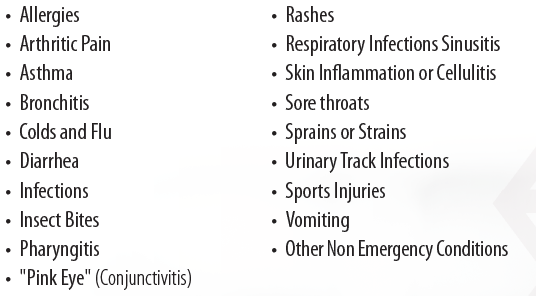
There are a huge array of common conditions HealthiestYou can assist you with. Common conditions treated include:
Are the Doctors “Real”?
HealthiestYou offers you over 3,100 board certified physicians and mental health providers that are state licensed and reside in the U.S. These doctors have an average of 20 years experience and go through the NCQA-certified credentialing process. They are legit!
There’s an App for that
The HealthiestYou app provides you with access to providers through the app (or you can call) as well as:
Radar – an exclusive tool that continuously scans for doctors, pharmacies, hospitals, urgent care centers and even vets in your direct area, helping you quickly and easily select the best providers for your plan and needs.
Circles – an intelligent bookmarking tool that helps you keep track of everyone in your circle of care, from your primary care physician to your favorite pharmacy.
Geo-fenced Benefit Reminders – the app knows when you step into an urgent care, doctor’s office, or pharmacy and will remind you that you could be saving time and money and reduce claims costs by using HealthiestYou. There are over 100,000 locations geo-fenced.
Get Started
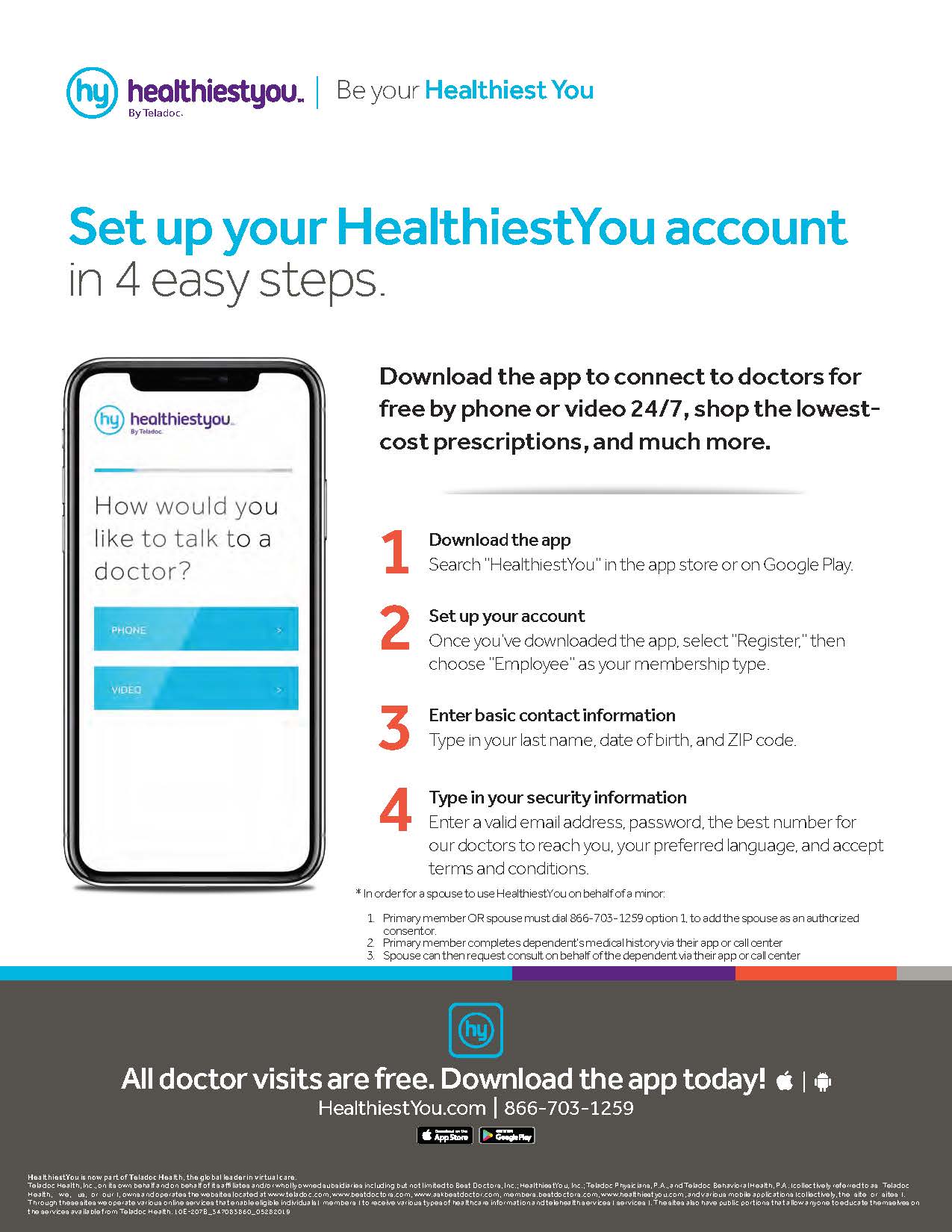
Follow the instructions below or download the pdf to get the app and create an account for you and each of your enrolled dependents.
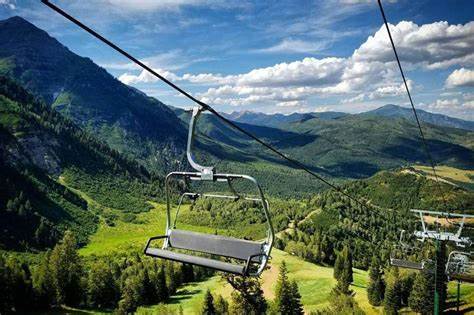
You may reserve up to FOUR passes in advance. If you require more than 4, you may request additional passes on the day of, if available.
Once passes are reserved, Passes are available for pickup at the Sundance Resort – Upper parking lot, New Day Lodge (large green tent-style building) during regular business hours.
Passes will only be released to the individual whose name appears on the reservation
A valid photo ID matching the reservation name is required
No exceptions can be made
If special arrangements are required, please contact Jocelyn Fletcher at [email protected] or text/call 801-473-6211
Given the continually changing landscape with COVID 19 and regulatory guidelines with such, the leadership team wanted to communicate the current protocols and guidelines. Please reach out to your leader with any questions. Please also work with your leader when exposed/positive test to discuss your work situation.
Mask Requirements
Salt Lake County – NOT AFFECTING JOBSITES – As of Saturday, January 8, Salt Lake County instituted a mask requirement for those in public locations/business establishments. This does not affect our jobsites.
Summit County – AFFECTING JOBSITES – As of Friday, January 7, Summit County instituted a mask requirement if persons are indoor, and NOT alone in a room. This does affect our jobsites.
Utah County – No current mandates in effect.
CDC Guidelines
Definition of Exposure – Having been 6 feet or closer for more than 15 minutes over a 24 hour period with someone who has tested positive for COVID 19.
As you are aware, we’ve switched payroll systems this year and your pay for 2022 is being paid out of ADP. One of many changes in using ADP is that your pay stubs will no longer be emailed to you. You’ll be able to log in to your ADP account to see your pay stub, print it, and so much more! You also have control of your key data in ADP – address updates, direct deposit changes, and more.
Click HERE for a training video on registering for your ADP account.
Password: Adpadp2021
It’s less than 20 minutes, folks. Please take a few moments to get your account activated. And there’s an app so you can keep your pay data with you at all times on your smart phone. Scan the QR code below to be directed to the app download.
Despite our best efforts, we also recognize that there may be some errors on your pay stub. Please reach out to me to let me know if you encounter any errors. With your help, together we can make sure that your pay is accurate and you’re getting top dollar on your bottom line. I appreciate your patience as we iron out the new systems.
You should have received an email from ADP that includes a link to register including a registration code that you’ll need to copy and enter in the registration link. Watching the video by clicking the link above and entering the provided password FIRST is recommended.
I STRONGLY RECOMMEND THAT YOU CHECK YOUR PAY STUB!
As this is a new system we are implementing, please be sure to log into your ADP account and check your pay stub to verify your deductions, your tax information, etc. It is a new year, so some things that might affect your bottom line are new deductions that hit your pay based on your benefit selections and adjusted tax rates for 2022.
Despite our best efforts, we also recognize that there may be some errors on your pay stub. Please reach out to me to let me know if you encounter any errors. With your help, together we can make sure that your pay is accurate and you’re getting top dollar on your bottom line. I appreciate your patience as we iron out the new systems.
Thank you,
Nicole Evans – Your Friendly Neighborhood Payroll Coordinator
Please read the content below in its entirety so you don’t miss anything as we prepare to make the switch in time tracking systems.
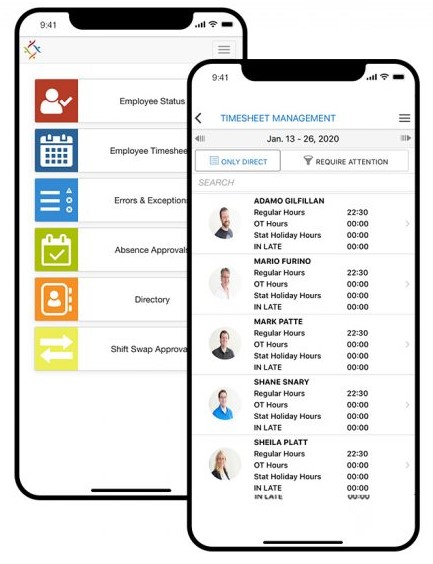
On Sunday, December 19th the company will be switching time entry/time tracking system from About Time to Synerion. It is critical that you make the switch for your hours worked so you can get paid.
WHEN
December 5-18 – Time worked for these days is entered into About Time
December 20 – Time worked between December 5-18 should be synced in About Time
December 19 Forward – Time worked on the 19th and forward is entered into Synerion
WHAT
All employees will need to use either the Synerion app on their phone or the web site for time entry. Employees will also need to use Synerion to request time off going forward.
EMPLOYEE REFRESHER TRAINING – ALL EMPLOYEES
Every employee should have been trained with their group by Wednesday, December 15th. To provide additional support and refresher training, we will be offering multiple online 30-minute trainings. You are welcome to attend some, all, or none. Below are links to those meetings, as well as meeting invites you can save in your calendar.
All managers who approve time will need to attend an approval training. We will be conducting these the week of the 27th. Below are links to those meetings. If you approve time and can’t attend one of these two meetings, please reach out to Connor and I so we can ensure that we meet with you. Time will need to be approved on January 3, 2022 for the first pay cycle, thus you will need to know how to approve prior to that date.
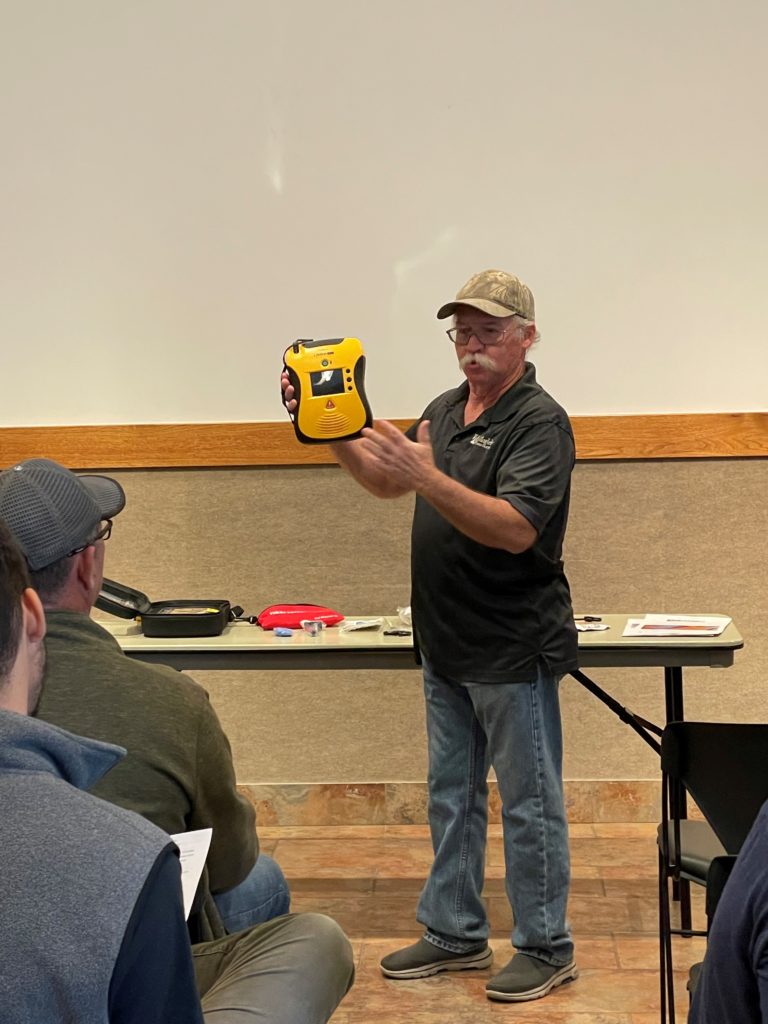
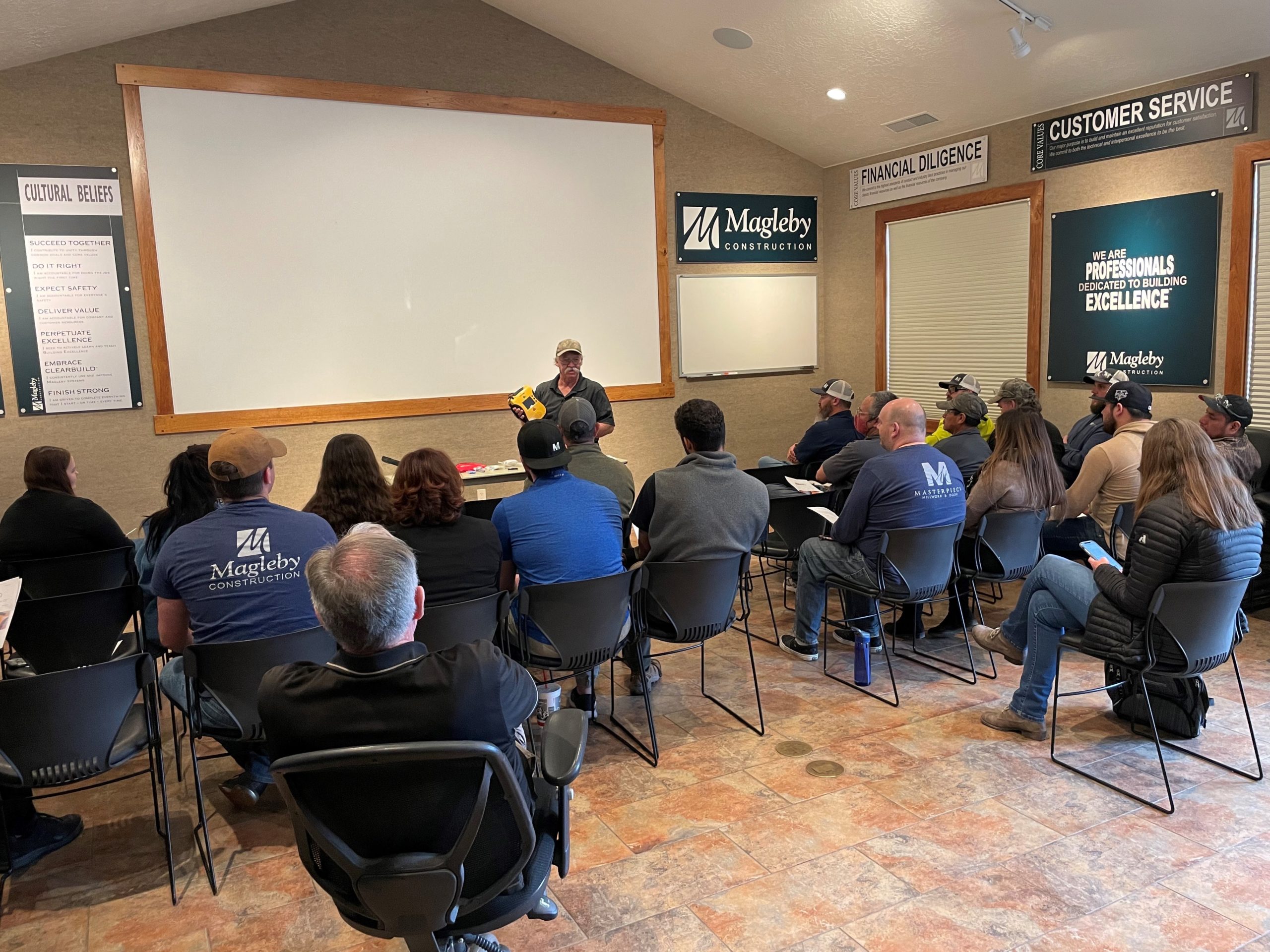
This month we held training on how to use the defibrillator in the main corporate office. Don reviewed with when to use the defibrillator and how to use it. Thanks Don for helping ensure Safety Matters.
When to use:
An automated external defibrillator should only be used on someone suffering sudden cardiac arrest, presenting as unconscious and not breathing. It should never be used on a patient suffering a heart attack, who is still conscious and breathing.
How to use:
Follow the instructions as guided by the AED. Instructions are also in the defibrillator closet.
Location:
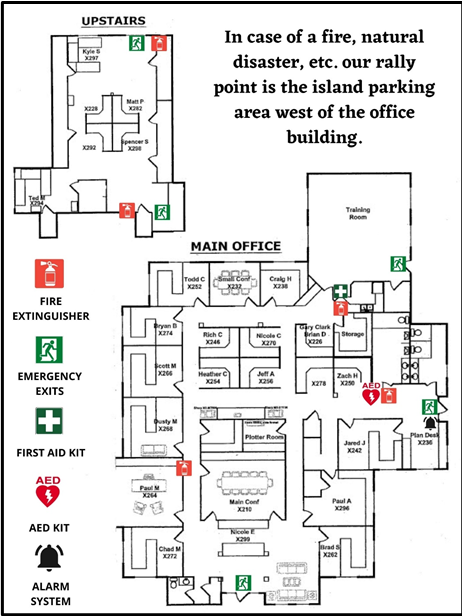
The AED is located just East of the bathrooms on the main level at the corporate office.
This month for our MPACT Safety training we focused on winter weather safety. The hazards and precaution key items we discussed include winter driving, work zone traffic safety, being stranded in a vehicle, and various issues related to working in snowy conditions. Below is a more in-depth breakdown of each key item.
Winter Driving
As we enter the winter season, it is important to take extra precautions as we drive. Although we are not able to control roadway conditions, we can always focus on driving safely. Now is the time to inspect your vehicle to make sure everything is working properly.
Brakes: Brakes should provide even and balanced braking. Also check that brake fluid is at the proper level.
Cooling system: Ensure a proper mixture of 50/50 antifreeze and water in the cooling system.
Electrical system: Check the ignition system and make sure that the battery is fully charged and that the connections are clean. Check that the alternator belt is in good condition with proper tension.
Engine: Inspect all engine systems and ensure you have no warning lights on the dash.
Tires: Check for proper tread depth and that there are no signs of damage or uneven wear. Check for proper tire inflation.
Oil: Check that oil is at a proper level and is regularly being changed.
Visibility systems: Inspect all exterior lights, defrosters, and wipers.
Stranded in a Vehicle in Winter
If you are stranded in a vehicle, stay in the vehicle. Do not leave the vehicle to search for assistance unless help is visible within 100 yards. Call for emergency assistance if needed, and notify your supervisor. If you have to exit the vehicle, try to wear high visibility clothing so other motorists can identify you.
Working in Winter Conditions
Shoveling snow: Shoveling snow can be a strenuous activity as cold weather can be taxing on the body. Be sure to stay hydrated and drink warm liquids and take breaks in warm areas. As you are shoveling keep your back straight and lift with your legs, do not turn or twist your body, and try to push the snow instead of lifting it.
Using powered equipment: When using equipment such as snow blowers, make sure they are properly grounded to avoid electrocutions. When performing maintenance or clearing, make sure the equipment is properly guarded and disconnected from power sources (not running).
Clearing snow when working at heights: Always assess the situation for potential hazards and plan how to do the work safely. Try to use snow removal methods that do not require you to get on the roof. Never get on a roof or on a heightened surface without fall protection.
Preventing slips on snow and ice: To prevent slips, make sure to clear walking surfaces of snow and ice, and spread deicer as soon as possible. Wear insulated and water-resistant boots with good rubber treads.
Clothing: Wear at least 3 layers of loose-fitting clothing, insulated gloves, boots, and something to cover the head and ears. Stay dry, and if needed pack extra clothes to change if you get wet.
This month for our MPACT Safety training we focused on housekeeping. Housekeeping safety applies to both the office and the field and is helpful to avoid accidents and injuries. Below we have identified housekeeping safety applying to the corporate office, as well as construction sites.
Construction Site Housekeeping
Maintaining a clean jobsite is one of the best ways to avoid avoidable accidents. Here are a few points to review on your jobsite to help keep us safe:
General Site Cleanliness – pick up debris and keep pathways clear to reduce trips, slips, and falls. Stack lumber and other material properly, and keep them covered from the elements.
Access to Cleaning Materials – Garbage cans, brooms, and dust pans should be always available and accessible to increase use .
Cords and Hoses – Cords and hoses should be continually inspected to make sure they are free of damage. If needed replace them immediately as wet weather can increase electrocution chances. Also make sure all tools are properly wired to mitigate changes of other electrical issues.
Snow Removal – Be sure to create a snow removal plan that includes tools, plans for keeping employees warm and heated and overall protection.
Temporary Heating – Be safe with temporary heating to avoid fire or ventilation problems.
Winter Vehicle Safety
Be sure to check your vehicles tires, and check that you have jumper cables and tow straps. Overall to be sure to drive safely, cautiously and to slow down.
Corporate Office Safety
In preparation for an emergency, review the evacuation plan and emergency office map. In the event of an emergency there are two egress points (the stairs and the southwest office). The upstairs southwest office has a ladder and glass breaker if the stairs are inaccessible. Downstairs there are three egress points (the front office door, the door in the training room, and the door next to the bathrooms). Below is a map that shows the office layout with marked egress points, and fire extinguishers.
Additionally, in the month of November, the office will be holding AED training.
GREAT CATCH OF THE MONTH
Blair Hill was the Great Catch of the month for his proactive approach to fall protection in an exposed stairway. Great work Blair!
I am here to remind everyone about two items concerning vehicles:
Vehicle Safety – Remember the company commitment to not driving distracted. If you haven’t taken the commitment, join with us and take it now (link below).
Vehicle Logs – If you haven’t done your vehicle log in the past 30 days, now is a great time to make it happen. As a reminder, vehicle logs are now done through the app on your phone (directions and helpful video below).
Be situationally aware on the roads because Safety Matters!
Vehicle Log
All company vehicles are required to have a vehicle log once every 30 days. As a reminder, vehicle logs are now done via an app on your phone. For those of you who are not familiar with this, or need a reminder, Leif has made a short video on how to get started. You can watch that video here: https://youtu.be/PLxwKeB-gqE
As a quick summary:
Download and log into the Power Apps app on your smart phone. (Login credentials for the app are your company email and password).
Go to “All Apps” and open the app “Vehicle Log.”
If this is your first time, allow the connection to SharePoint.
Find your truck number by searching or scrolling.
Select your truck.
Click the “+” button to add your vehicle log.
Enter the date in “Mileage Log Date,” your current mileage in “Vehicle Mileage.”
If you know the last time your vehicle was services (tire rotation and oil change), enter the mileage at that service.
If the vehicle needs maintenance beyond routine oil changes/rotations, add notes.
Click the check mark in the top right and you are done!
Vehicle Safety
As a company we are committed to being safe on the road. Being safe on the road includes doing all of the following.
We are here to once again remind you to be suspicious whenever you get an email that doesn’t SNIFF right, or a call that doesn’t sound right.
For your entertainment and education, here is a link to a video well worth your time by Mark Rober. If you don’t know who he is, he is the inventor of the “Glitterbomb” that punished porch pirates by spewing glitter all over upon opening the package. He is also the YouTube star that invented the squirrel obstacle course. For this video he once again uses the Glitterbomb to track down online scammers and educate on one of their techniques.
And as a reminder, a few months ago we posted this blog post about the SNIFF test. Here is a link to that article, and the brief summary to refresh on. LINK: Smells Phishy | Magleby Construction
SUMMARY:
Ask yourself these questions before proceeding with an email that seems off:
S – Sender – do you know the sender? Is the sender really who they claim to be? (E.g. it says it is from Chad Magleby, but the address is [email protected]).
N – Normal – is it normal that the sender would email you, and discuss the topic that was emailed about? If you would normally not receive communication on the topic of the email, why would things have changed? If the email doesn’t seem normal, be suspicious.
I – Internal – does the sender claim to be someone internally within the organization? If so, why is the “External” banner bar showing? Or does the person claim to know someone internally in the organization? If so, validate with the referenced individual about the validity of the email.
F – Familiar – are you familiar with the sender? If you weren’t expecting an email from the sender, question the validity of any attachments or links.
F – Fishy – does anything about the email make you question? Attachments or links should NOT ask for your username or password. If so, IT would be happy to look at it first.
From time to time, employees mention that they are no longer receiving pay stubs from payroll. The most common issue is the employee’s email is filtering the email that comes from Nicole Evans.
Solution for Gmail Users:
If you use Gmail, follow these steps to find your most recent paystub and correct the issue. Again, this is only for employees that use Gmail and are NOT receiving their pay stubs anymore.
Steps:
1. Login to Gmail on a computer via a web browser (e.g. Chrome).
2. Type the following into the search bar: in:spam nevans (see example).
3. The search should return a couple results (see example).
4. Select the one of the emails that has your name and the words “Pay Stub” in the header.
5. Click on the ellipses (see example with yellow circle).
6. Click on “Filter messages like these“.
7. You will see a pop-up like this, click “Create filter“.
8. Copy the options that you see in the image below.
9. Click “Create filter“.
10. Go back to your search results, click on each email that appears and click on “report not spam“.
After performing each of these steps, you should begin receiving pay stubs in your inbox as normal. If you have issues or would like help, please reach out to the IT Team ([email protected]).
Discounted rental rates are available at Sundance Mountain Outfitters, located at the base of the resort. You must show your Corporate Pass to receive the discount. All rentals are subject to availability and should be confirmed in advance.
Pass Availability
Passes are available on a first-come first-served basis per the online reservation system on theSki Passes Calendar.
Select date and number of requested passes (up to 4) and click ‘Add to Cart.’
Click ‘Go to Cart,’ enter your contact information and select ‘Review cart and make payment.’
Review your reservation for accuracy and select ‘Complete Reservation.’ You will receive a confirmation email. If you do not receive a confirmation email your reservation was not successful.
You may only reserve up to 4 in advance, but additional tickets may be reserved on the day of your planned use, based on availability. If no passes are available, you will see the message “Online ticket sales for this event are closed.” Please select a different date.
Reserving Passes after 5:00PM for the next day?
Complete your ticket reservation and text Jocelyn Fletcher, (801) 473-6211, to confirm receipt of your reservation.
**Please note, failure to contact Jocelyn for reservations made after 5:00PM for next day use will cancel your reservation.
Pass Pick Up
Passes are available for pick up at the Sundance Resort – Upper parking lot, New Day Lodge (large green tent-style building) during regular business hours.
Any Magleby Construction or Masterpiece Trade Services employee and/or their immediate family may use the passes.
Employees do not need to be present for their immediate family members to use the passes; however, passes must be reserved under the name of the individual picking them up.
Friends of employees must be accompanied by the employee.
Trade Partners and Vendors
Yes, however Trade Partners and Vendors will be placed on the stand-by list for Saturdays and Holiday breaks. If there are no employee requests at the end of the business day before the requested Saturday or Holiday, the Trade Partner or Vendor will be allowed to use the passes available at that time. There is no stand-by restriction for trade partners or vendors on weekdays.
If you have reserved the passes more than twice in one month you will be placed on the standby list.
Standby List – Saturday
Each employee may reserve the passes one Saturday a month. Any additional Saturday requests will be placed on the standby list.
Standby List – Rules
If passes have not been reserved by the end of the business day (5:00PM) before the day requested, your reservation will be confirmed.
Lost Passes
Replacement passes cost $30+ and will be billed to the name on the reservation. All lost passes are deactivated in the system and Sundance tracks attempted usage in the event they are stolen.
Paid Parking Dates
Every Friday – Sunday & Holidays: December 26th – 31st, January 19th & February 16th
Upper Parking Lots (Lots C, D & E)
FREE: Monday–Thursday
$10: Friday–Sunday & holiday* (7:00 AM–2:00 PM)
FREE with carpool of 4+ people
License plate registration will be required
A parking code must be obtained from a parking attendant to waive parking
Lower Parking Lot (Lot A) – is a paid parking only. For current daily rates, availability, and reservations, please visit the Sundance parking website:Parking | Sundance Mountain Resort
Accidents and Injuries
The use of the Sundance Corporate pass is a benefit provided by Magleby Construction to its employees, trades, and vendors. Activities associated with the use of passes are expected to be done on personal time and in no way are considered a work activity. Therefore, any injuries or claims WILL NOT be covered by Workers Compensation.
Use Disclaimer
The user of each Sundance Corporate pass understands and agrees to indemnify and hold Magleby Construction harmless for any claims arising from the use thereof.